Meta (Facebook) tracking has changed a lot in recent years. What used to be a simple Pixel setup is now affected by browser rules, privacy settings, and server-side signals that vary by device and region. These shifts affect how clearly Meta sees your conversions and how confidently you can act on its reporting.
This guide walks through how Meta tracking works today and which methods capture which signals, with a primary focus on conversions that happen on your website. It also looks at when browser tracking is enough and when server-side tools like the Conversion API (CAPI) make a meaningful difference.
You’ll find real examples of ways to use Birch to validate your setup, strengthen your measurement, and automate updates as performance changes.
Key takeaways
- Meta tracking works best when you combine browser and server-side signals into one consistent picture.
- Relying on the Pixel alone often leaves gaps, especially when privacy rules or device changes limit what the browser can send.
- Server-side events help Meta understand what has actually happened in your funnel, not just what the browser captured.
- Clean, well-structured events give Meta the clarity it needs to optimize with more confidence.
- When you compare browser data with backend results, the differences quickly show where tracking needs support.
- Birch helps keep your signals reliable by sending first-party events from your server and surfacing issues before they affect performance.
How Facebook tracking works
Meta’s tracking system measures what people do after they interact with your ads and uses those signals to improve delivery. It relies on two main data sources that work together to capture the full customer journey.
- Browser events sent through the Meta Pixel
- Server-side events delivered through CAPI
The Pixel logs browser activity and CAPI sends backend-confirmed events such as purchases, renewals, and sign-ups. A complete setup helps Meta rely less on modeled conversions and more on the signals you send directly.
Browsers, devices, and privacy rules now limit what is tracked directly in the browser. Tracking still works—it just depends more on first-party data and server-side confirmations to stay reliable.
Which Facebook tracking method should you use?
Meta offers several ways to track conversions, and most advertisers end up using a mix of Pixel and CAPI because each one sees a different part of the funnel.
The Pixel works well for simple, on-site conversions. The drawback is that it starts to miss signals when checkouts happen across multiple domains, when users return on a different device, or when a conversion requires a backend check. That’s where server-side events fill in the gaps and give Meta the full picture.
If your conversions happen mainly on your website and the path is straightforward, the Pixel often covers the essentials. It’s easy to set up and gives Meta real-time visibility into on-site behavior.
As funnels get more complex, browser-only tracking tends to leave gaps—especially when actions depend on logins, multiple devices, or backend checks. This is where server-side tracking becomes valuable. CAPI sends events directly from your backend, helping Meta understand what has actually happened, even when the browser can’t provide a complete picture.
Using these methods together gives Meta a more complete view of your funnel and helps stabilize optimization.
Meta Pixel vs CAPI
The Meta Pixel and the Conversions API see different parts of the same event. They are not competing tracking methods.
The Pixel fires in the browser and captures what users do in real time: page views, add-to-carts, sign-ups, checkouts. It’s fast and easy to debug, but it depends on the browser cooperating. If a page loads slowly, a script fails, or a user has tracking protections enabled, the event may never reach Meta.
CAPI takes the more reliable route. Your server sends the event directly to Meta, so it isn’t affected by cookies, blockers, or device rules. This makes it ideal for backend-confirmed actions like purchases, renewals, logins, and qualified leads.
Looking at them side by side makes it clear why most advertisers eventually use both:
| App event optimization | Value optimization | |
|---|---|---|
| Best for | Apps or businesses that need users to complete a specific action (e.g., register, add to wishlist, add to cart, start a trial) | Businesses focused on revenue, ROAS, or LTV, where the value of each conversion matters more than the number of conversions |
| Pros |
• Easy to scale early user activity • Useful when purchase volume is too low for VO • Helps apps build strong event funnels |
• Drives more profitable conversions • Improves ROAS by prioritizing high-value customers • Reduces wasted spend on low-value buyers |
| Cons |
• Ignores conversion value • Can attract low-spending users • Not ideal when ROAS is the goal |
• Requires accurate purchase value tracking • Needs consistent purchase volume • More volatile during the learning phase |
| Examples | An app optimizing for signups or free trials, even if those users may not become high spenders | An e-commerce brand bidding more for users likely to spend $200+ rather than optimizing for cheap purchases |
Type: App event optimization
Best for: Apps or businesses that need users to complete a specific action (e.g., register, add to wishlist, add to cart, start a trial)
Pros:
• Easy to scale early user activity
• Useful when purchase volume is too low for VO
• Helps apps build strong event funnels
Cons:
• Ignores conversion value
• Can attract low-spending users
• Not ideal when ROAS is the goal
Examples: An app optimizing for signups or free trials, even if those users may not become high spenders
Type: Value optimization
Best for: Businesses focused on revenue, ROAS, or LTV, where the value of each conversion matters more than the number of conversions
Pros:
• Drives more profitable conversions
• Improves ROAS by prioritizing high-value customers
• Reduces wasted spend on low-value buyers
Cons:
• Requires accurate purchase value tracking
• Needs consistent purchase volume
• More volatile during the learning phase
Examples: An e-commerce brand bidding more for users likely to spend $200+ rather than optimizing for cheap purchases
Used together, Meta Pixel and CAPI give Meta the speed of browser signals and the accuracy of backend confirmations—two perspectives that make your reporting steadier and your optimization more reliable.
How to set up Facebook tracking step by step
A reliable Meta tracking setup defines the events you need to measure, confirming each one fires as expected and strengthening browser signals with server-side data. These steps give Meta the clear signals it needs when tracking a website.
Step 1: Go to Events Manager and choose your data source
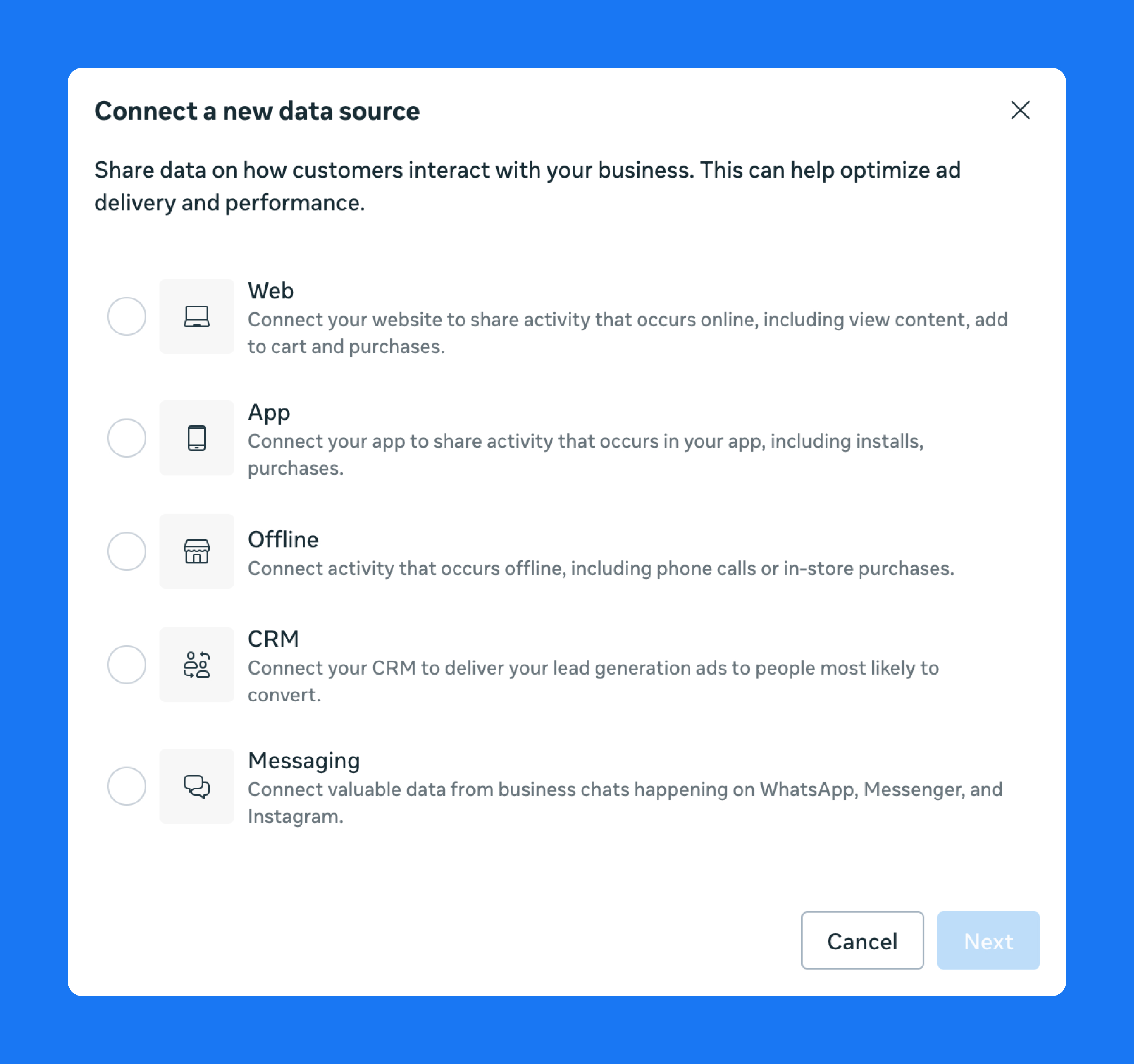
All event setup begins in Meta Events Manager. You can access it through Business Manager → All Tools → Events Manager.
Your data sources are grouped by connection type rather than their technical names. Website tracking appears under Web, which includes both Pixel activity, and server-side events sent through CAPI.
Step 2: Define the events you want to track
Once you have selected your data source, you can select actions that matter to your business. Meta provides standard events like Purchase, AddToCart, Lead, and CompleteRegistration, but you can also define custom events if your funnel requires something more specific.
You don’t name events directly inside Events Manager. Instead, you define them through the Event Setup Tool or your implementation method. They appear in Events Manager once they fire.
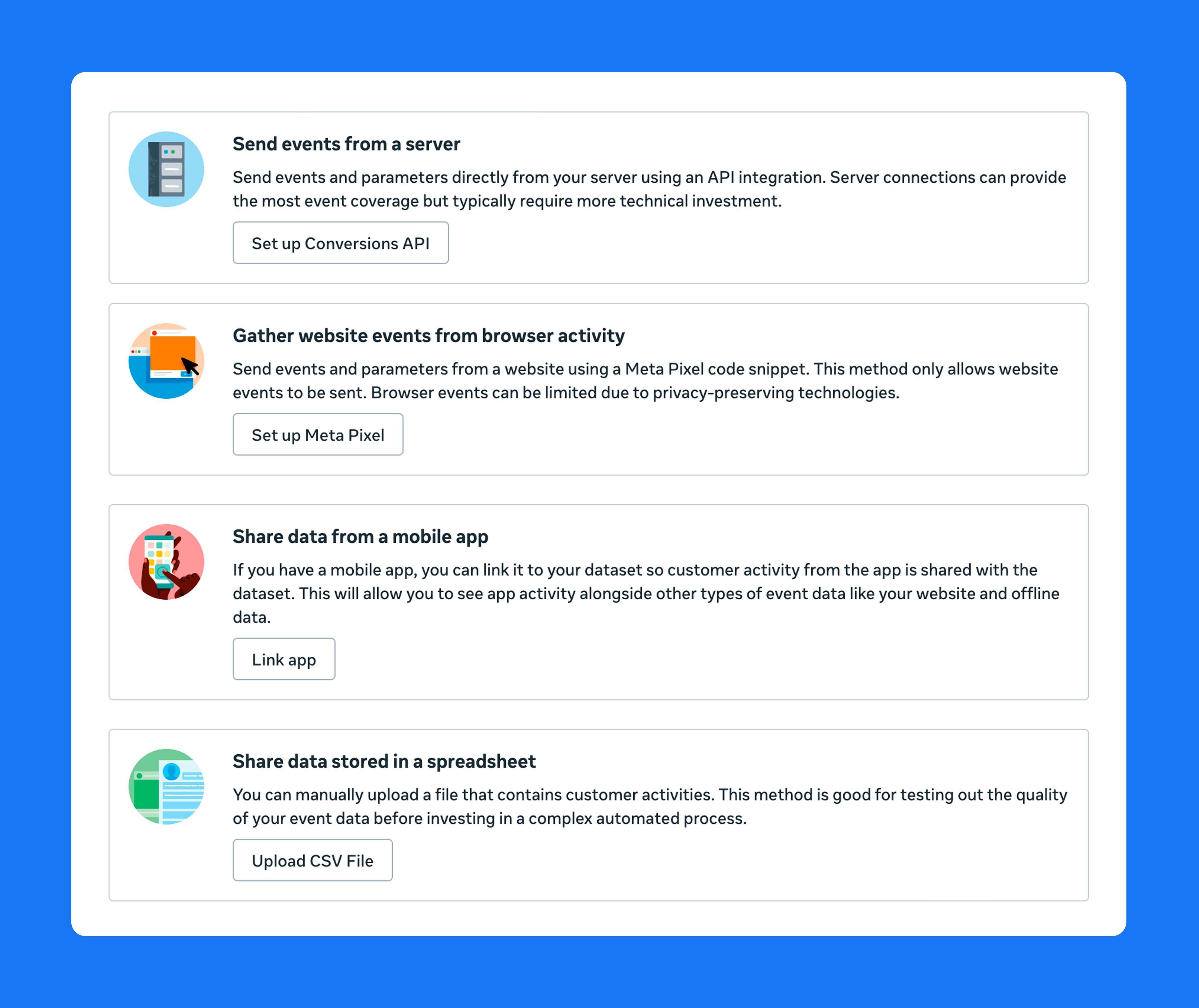
You can set up browser events in two ways:
- Event Setup Tool (inside Events Manager → Pixel → “Open Event Setup Tool”): Useful for simple button clicks or URL-based events.
- Manual implementation (via code or tag manager): Recommended for most advertisers because it gives you full control over parameters, naming, and consistency.
For server-side events through CAPI, you configure them in your backend or integration tool. They show up under your Web data source as soon as they have been received.
Step 3: Test your events in Events Manager
Before sending traffic to your site or app, confirm that each event fires correctly. Go to Events Manager → Test Events and trigger the actions manually.
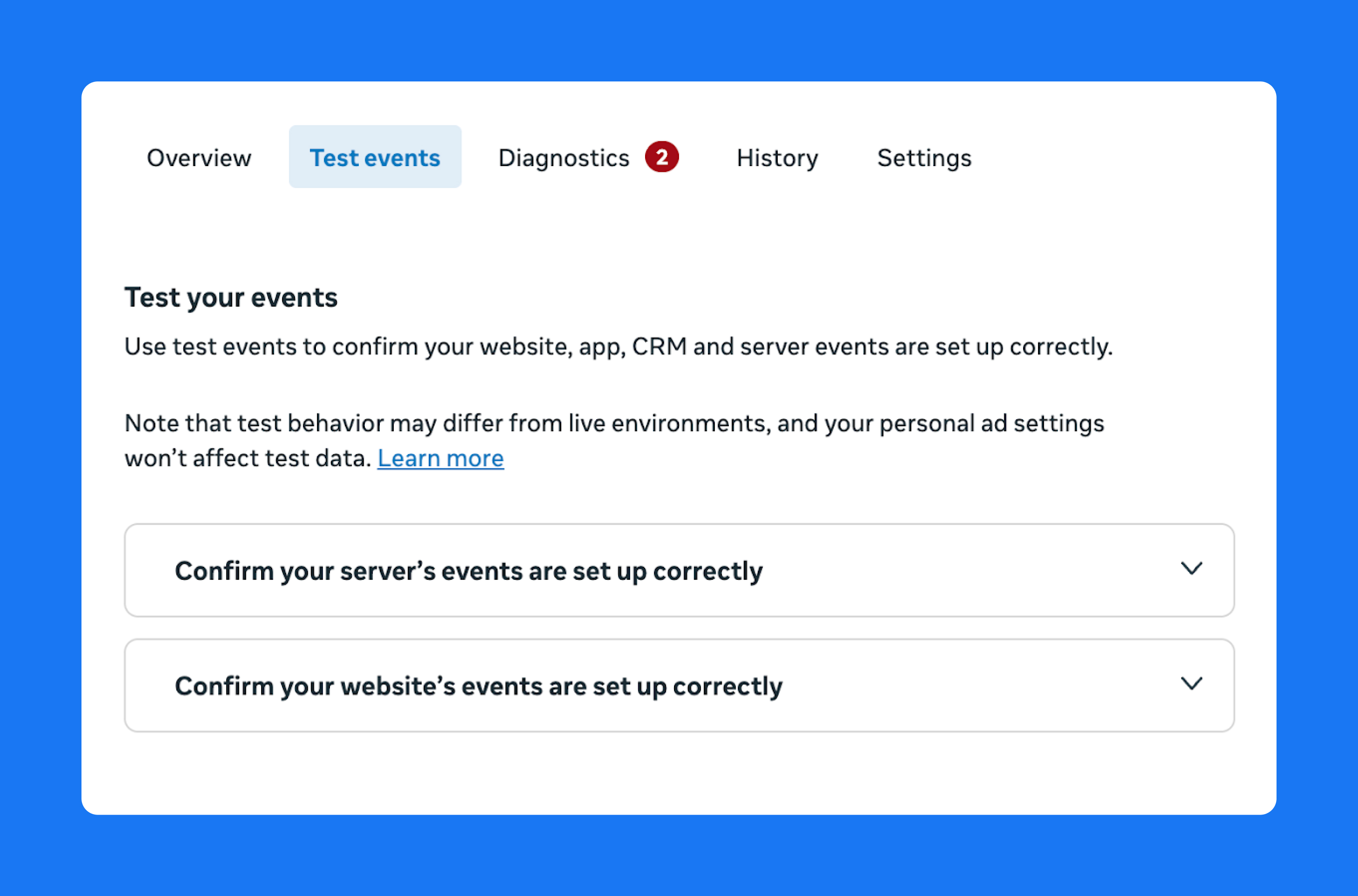
Check that the event fires once, that required parameters are included, that duplicate events don’t appear, and that server-side events include IDs for matching.
This step helps you catch issues early—such as missing values, scripts firing out of order, or events not triggering in certain browsers. The Diagnostics section also flags any errors or warnings Meta detects.
Step 4: Add server-side tracking through CAPI
Once your browser events are stable, add server-side tracking with the Conversions API. This sends a verified version of the event directly from your server, helping you capture purchases, renewals, CRM-based leads, or any conversion the browser fails to send.
You can set up CAPI through your own backend, a partner integration, or Meta’s Conversions API Gateway. The setup starts inside your web data source, usually under Settings.
If you send both browser and server versions of an event, use the same event_name and event_id so Meta can deduplicate them and only count the conversion once.
Step 5: Keep your setup clean with ongoing best practices
A strong tracking setup isn’t something you set and forget. These ongoing habits keep your data consistent:
- Re-test events after site or app updates.
- Avoid sending unnecessary or duplicate events.
- Maintain consistent parameter formats.
- Use deduplication when sending Pixel + CAPI versions of the same event.
- Monitor drops in event volume or matching quality in Events Manager.
These steps make your tracking setup resilient. Meta gets clear signals for optimization, and your reporting stays accurate even as browsers and devices change.
How to do Meta (Facebook) tracking with Birch
Browser tracking alone often loses signals—especially when people switch devices, use privacy tools, or load pages without the Meta Pixel firing correctly.
Birch Hub strengthens your setup by sending first-party events from your server directly to Meta, so the system gets the complete version of what actually happened.
Hub works alongside your existing Pixel. The Hub pixel collects events on your domain, sends them to your server, and then delivers them to Meta via CAPI. This avoids the typical issues that weaken browser tracking, such as short cookie lifespans, blocked scripts, or missing parameters.
Here’s how the data flow changes:
Without Birch (browser only)
User action → Browser Pixel → Meta
└─ may fail due to blockers, cookies, or script issues
With Birch Hub (browser + server)
User action → Hub Pixel → Birch Hub (server) → Meta
└─ browser Pixel (optional) → used for deduplication
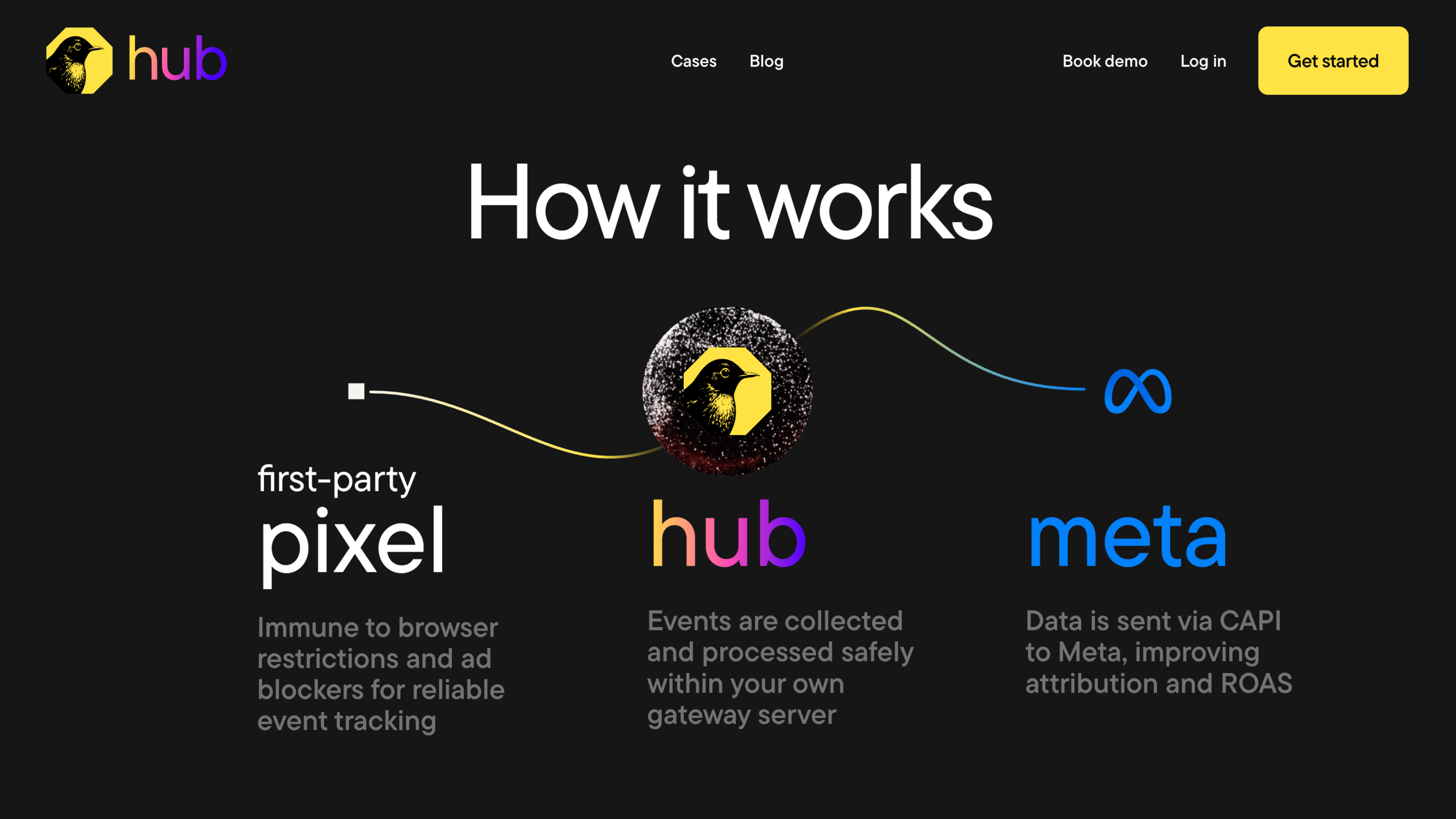
With Hub’s server-side delivery, Meta receives cleaner and more consistent signals. When both browser and server versions of an event arrive, Birch Hub ensures they share the right identifiers. This means Meta only counts them once and attributes conversions accurately.
You don’t need to build or maintain your own infrastructure to get the benefits of server-side tracking. Once you connect your Meta account, link your domain, and install the Hub pixel, events start flowing automatically. From there, Hub keeps your data structured, deduplicated, and ready for optimization.
As your signals move through Birch, you can monitor event quality, set up alerts, and automate actions when performance changes. Instead of relying on a single browser path, you get a tracking foundation that’s easier to validate and more resilient.
Facebook tracking use cases in action
Looking at how core use cases play out in real funnels helps you understand what you can do with Facebook tracking.
At a high level, Meta tracking powers three things:
- Measuring the conversions that matter to your business
- Helping Meta find more people who behave like your best customers
- Keeping your reporting consistent across devices and platforms
Meta can optimize with confidence when your signals are clear and complete. Otherwise, performance and attribution both suffer. You can see the difference clearly once you look at real data. Lead-gen funnels often expose tracking gaps first. The Pixel captures the form submission, but that’s usually where visibility ends.
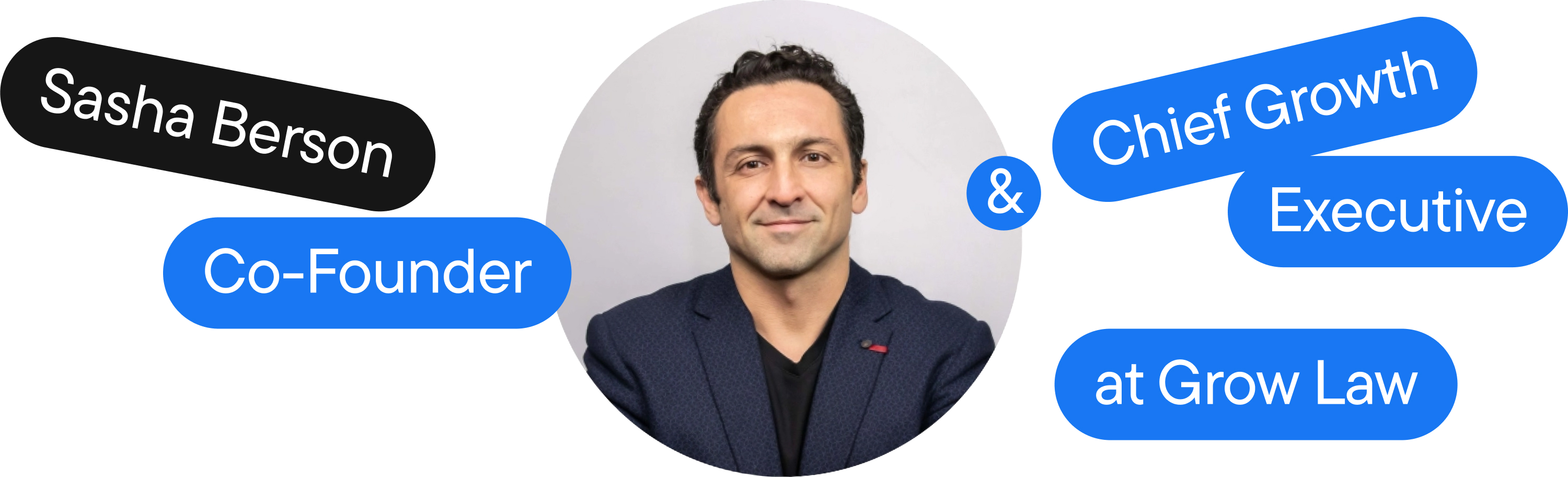
As Sasha Berson, Co-Founder and Chief Growth Executive at Grow Law, puts it, “The Pixel sees the form filled, but has no clue if the lead was actually qualified or complete garbage.” In legal categories, where many submissions are low-intent or don’t meet the firm’s criteria, this gap quickly affects optimization.
Sasha explains how a personal injury firm saw more than 100 form fills in a month, but fewer than 20% met basic qualification. “That $80 CPL was actually closer to $400 when you did the math.” When the team started sending backend-verified qualified leads through server-side tracking, Meta began optimizing for leads that turned into signed clients.
Home-services funnels highlight the same blind spot. The online form is only the start; the real conversion usually happens later over the phone.
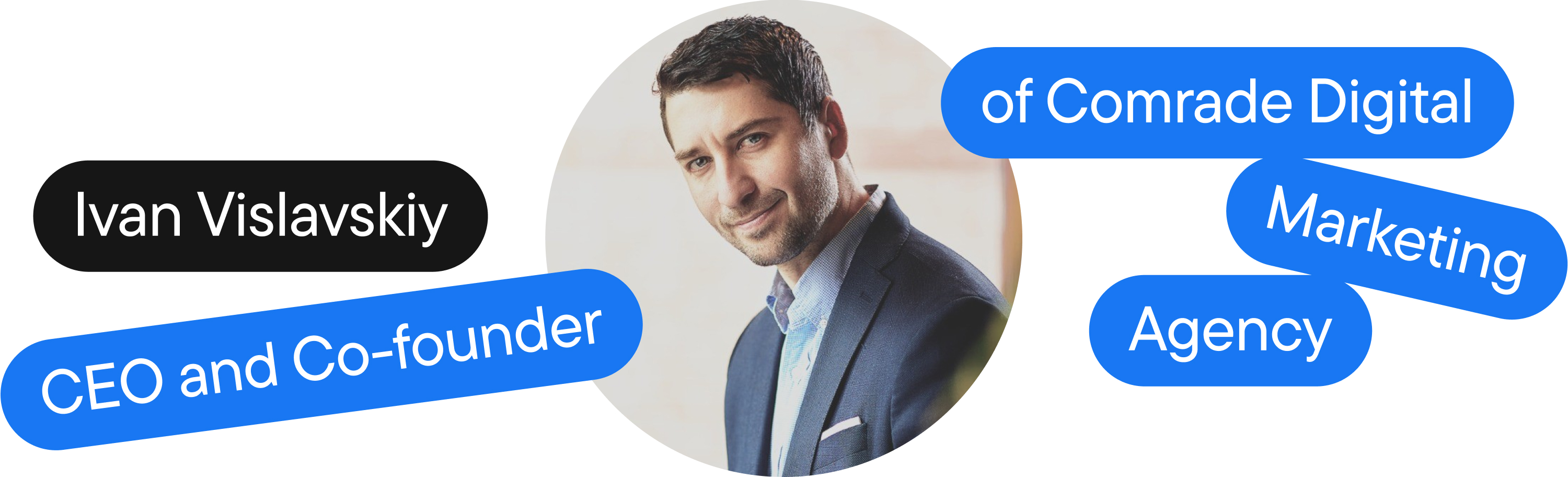
Ivan Vislavskiy, CEO and Co-founder of Comrade Digital Marketing, shares cases where Meta reported 50 leads while the team logged 70 actual calls. Meta never saw the additional conversions until the CRM pushed back confirmed leads through server-side events. That shift improved ROAS within two weeks.
This becomes even more apparent in e-commerce. Pixel-based purchase events can drop when checkout flows span multiple pages, when alternative payment windows are used, or when browser rules block the Pixel entirely. Backend-confirmed purchases sent through CAPI help Meta see the sales that actually occurred—not just those the browser managed to capture.
This was the case for Pawz, an e-commerce retailer whose Pixel frequently dropped purchases or sent incomplete revenue data.
After they directed their purchase events through Birch Hub—where revenue parameters were cleaned and delivered server-side—Meta received a far steadier signal. In the first month, tracked sales increased by 25% and cost per conversion fell by 22%. With clearer data, the team was able to scale cold campaigns to a ROAS of 9+.
Privacy, consent, and ethical Facebook tracking
Privacy rules shape what you can track and how you handle the data people share with you. Any setup you build should reflect the choices users make on your site or app.
If someone gives consent, you can send their events server-side via CAPI orthrough the Pixel. If they don’t, those events shouldn’t be sent—no matter which method you’re using. Server-side tracking isn’t a shortcut around consent; it just helps you deliver signals you already have permission to use.
Many advertisers rely more on first-party and server-side setups to maintain steady measurement when browser signals drop. This is common, as browsers and devices add their own layers of protection, including tracking prevention. When consent choices are applied consistently across your stack, the data you retain is usually cleaner and easier to trust.
This clarity often shows up directly in Events Manager. You’ll see fewer mismatches and inflated events, and a stronger signal for Meta to learn from—without collecting data you shouldn’t have.
Troubleshooting and advanced measurement insights
Meta tracking is rarely perfect, even with a strong setup. Events can drop, parameters may be missing, and browser and server counts often differ. Most issues are minor if you can identify where the signal was lost.
Start with Events Manager and use Test Events. Trigger the action directly and confirm that Meta receives the correct parameters from both the Pixel and your server. If reporting is off, this tool typically reveals the issue right away.
Browser and server event counts are rarely an exact match. Browsers often drop signals, while servers don’t. A consistent difference is expected, but a sudden shift usually points to a change in your site or implementation.
Mismatched event_id values often cause discrepancies. If the browser and server versions use different IDs, Meta may count them as separate actions and misreport conversions.
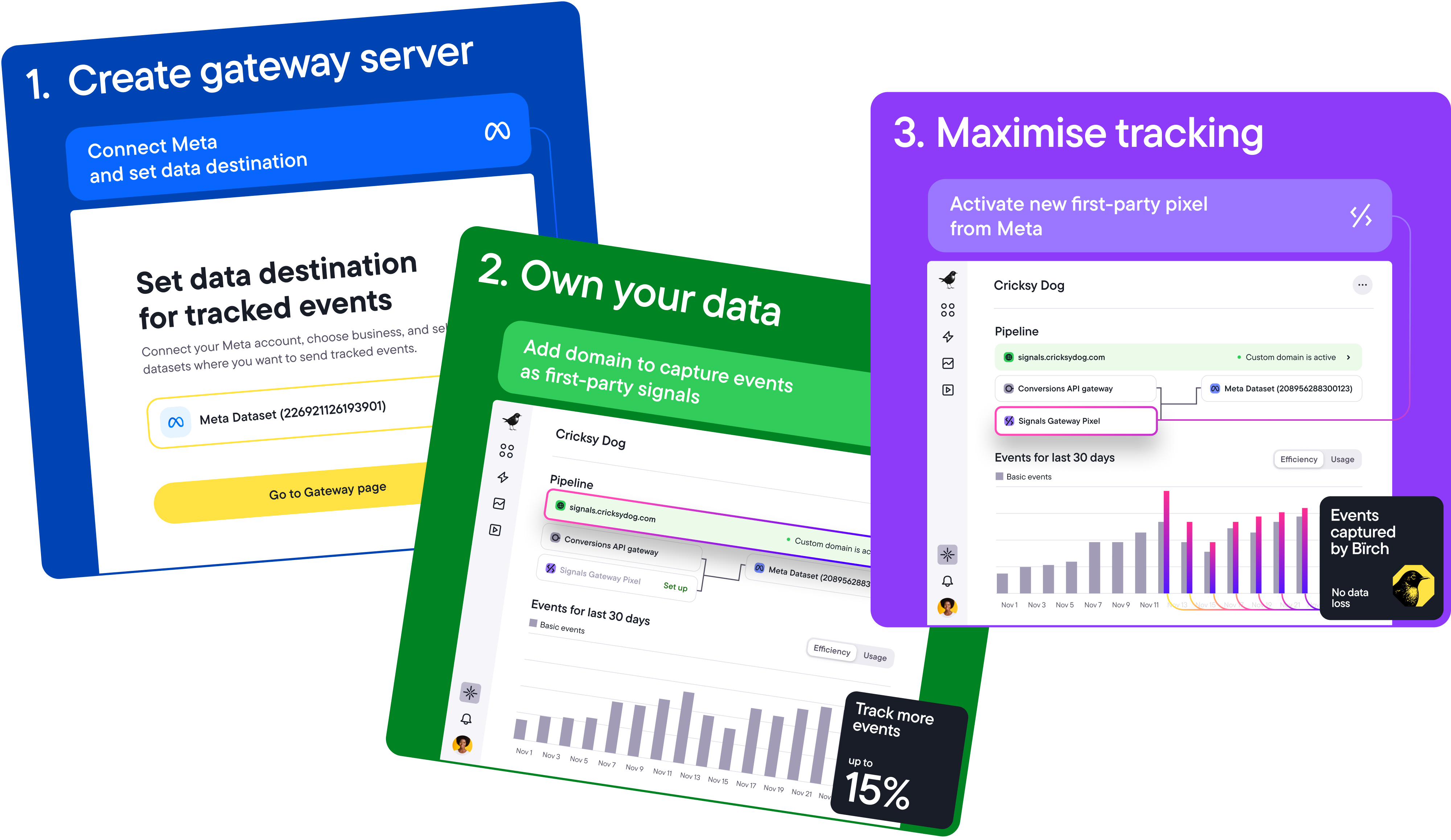
Birch helps simplify debugging. You can check if events include the correct parameters, confirm deduplication is working, and spot drops in volume before performance declines.
Reliable tracking comes down to catching these issues early and re-checking signals whenever something changes. A few habits make that much easier:
- Re-test after site or app updates.
- Check diagnostics when results look unusual.
- Watch for sudden changes in event volume.
Most issues resolve quickly once you identify where the signal dropped.
A clearer path to reliable measurement
Everything from attribution to scaling becomes easier when your setup gives Meta consistent signals. The Pixel handles real-time activity and server-side events confirm what actually happened. Together, they give Meta the clarity it needs to optimize reliably—even as browsers and devices keep changing the rules.
Birch helps you keep that foundation steady. By capturing first-party events on your domain, routing them through your server, and surfacing issues before they affect performance, Birch Hub makes your tracking easier to trust and improve.
Once your signals are stable, campaigns learn faster, reporting gets smoother, and optimization becomes more predictable. You can try Birch for free and watch how cleaner data changes the way Meta understands your funnel.