Accurate Facebook ads attribution is essential for successful campaigns. But many teams struggle to reconcile Meta’s reported conversions with what they see in their analytics tools, backend revenue, or CRM data.
Part of the confusion comes from how attribution works inside Meta’s platform. Privacy changes have weakened tracking signals, and Ads Manager doesn’t always reflect the full path to conversion.
In this article, we take a closer look at Facebook conversion attribution and share practical ways to improve it using Birch Hub.
Key takeaways
Ads Manager rarely shows the full picture—so it might not match what you see in your analytics or CRM.
Attribution problems often come from weak tracking signals, not bad campaigns. When Meta receives incomplete event data, it can optimize toward the wrong ads and distort ROAS.
Browser-only tracking is fragile. Adding server-side events through CAPI helps ensure conversions still reach Meta even when scripts fail or cookies expire.
Even with better tracking, no single platform can tell the whole story. Comparing Ads Manager results with backend data is essential to understand what’s actually driving revenue.
Tools like Birch Hub make this process easier by managing server-side events and first-party data flows, helping teams maintain stronger attribution signals across their stack.
What Facebook conversion attribution actually means
Conversion attribution is how Meta decides which ads get credit for conversions. It looks at the signals it has available and connects those conversions to ad interactions in Ads Manager reporting.
Conversion tracking vs attribution
Before attribution can happen, the conversion itself has to be recorded.
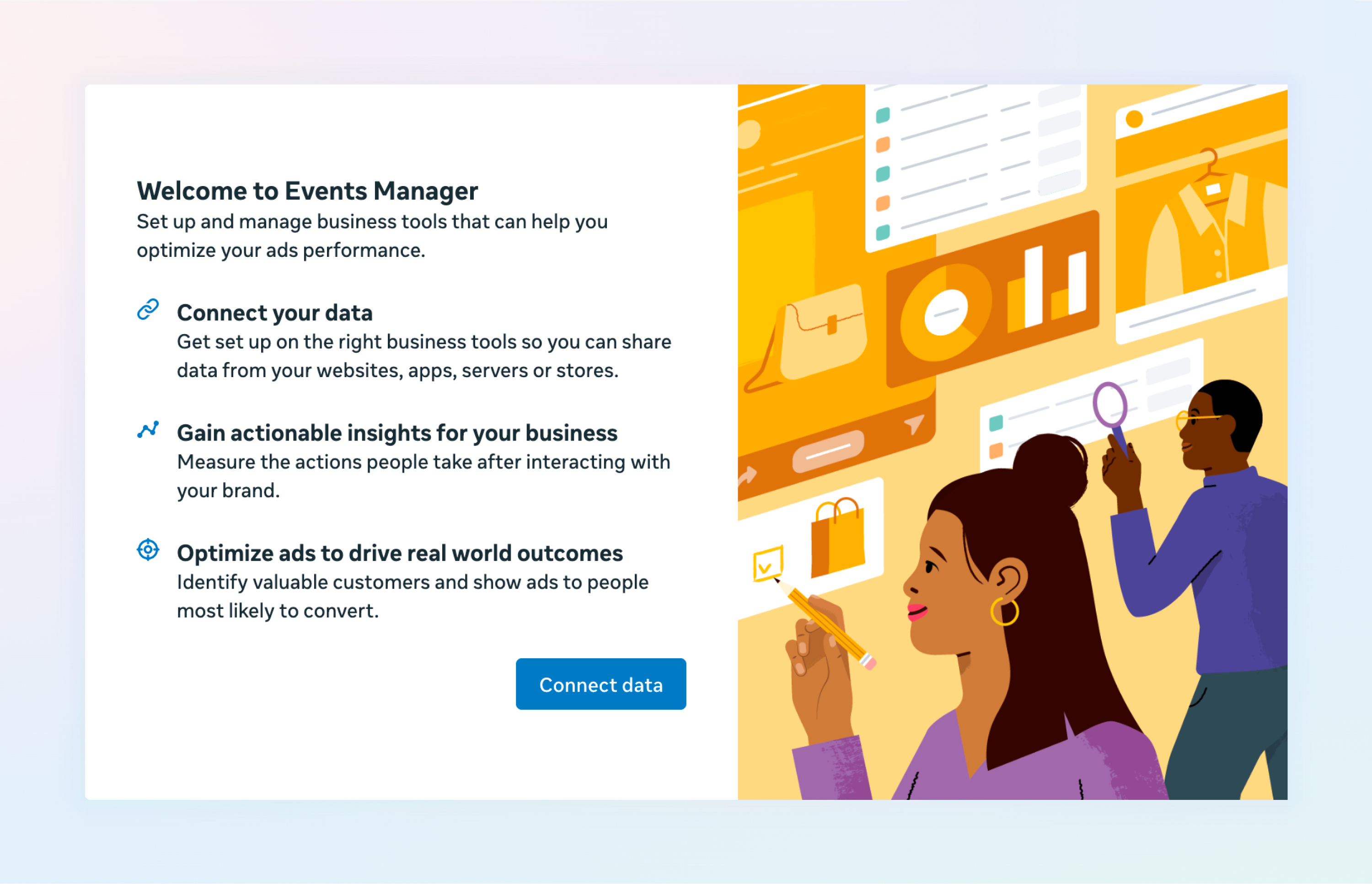
Meta Events Manager
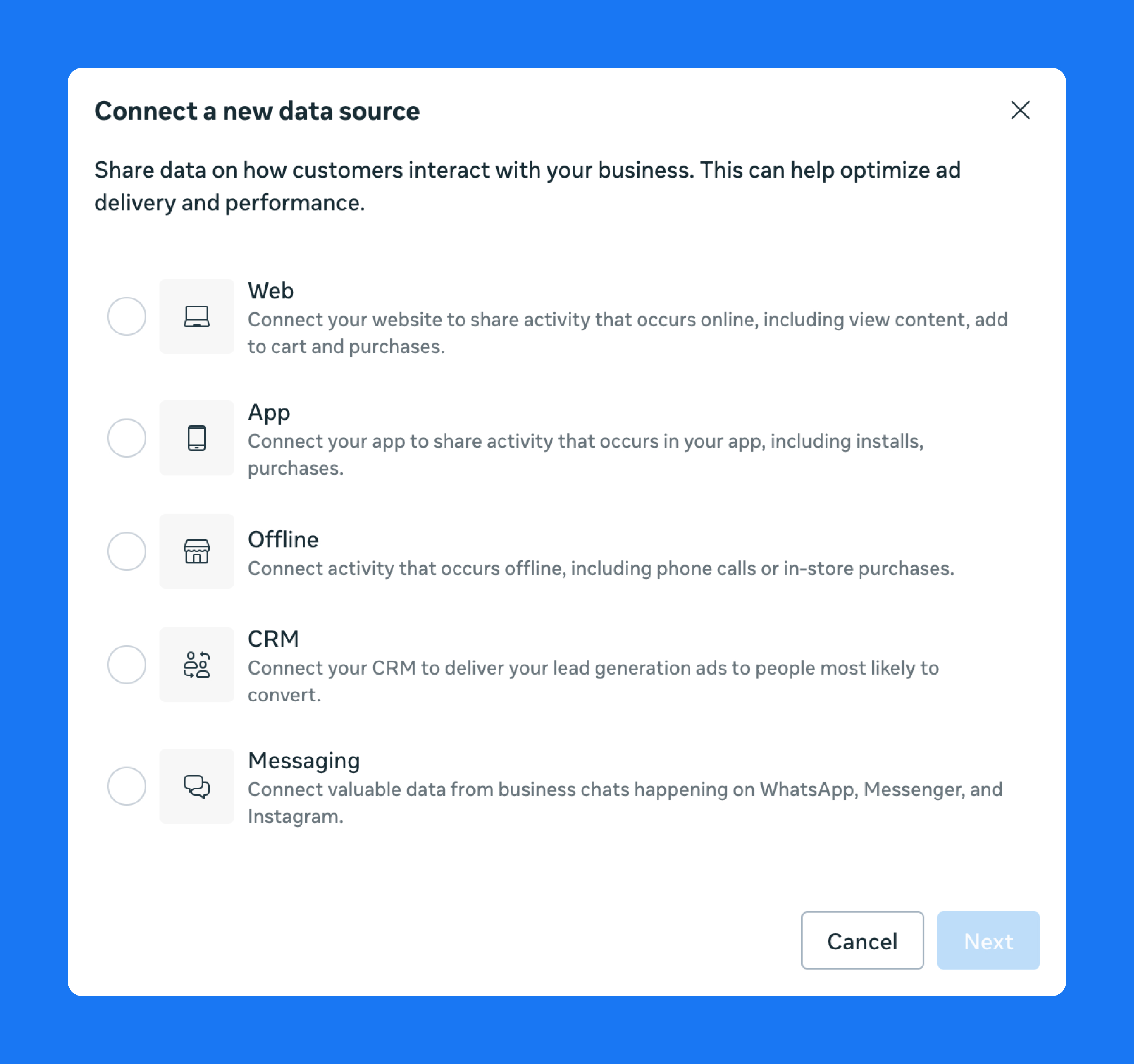
Conversion tracking records that an event happened on your site or app through tools like the Meta Pixel or Conversions API, which are configured and monitored in Events Manager.
Attribution determines whether that conversion should be counted as the result of an ad.
Reporting signals vs optimization signals
Once conversions are attributed, those signals serve different roles inside the platform.
Reporting signals show what happened after the fact, such as conversions or revenue in Ads Manager.
Meta Events Manager
Optimization signals are the events the delivery system learns from to find users who are more likely to convert and improve ad delivery, such as purchases, add-to-cart actions, lead submissions, or registrations.
Why attribution accuracy impacts ROAS and creative testing
ROAS calculations and creative decisions depend on the conversion signals available in reporting. When attribution is incomplete, some conversions are missed or credited incorrectly, which changes how campaigns appear to perform in Ads Manager.
As a result, budgets and optimization decisions can shift toward ads that look effective in the data rather than those actually driving purchases. Over time, that misalignment can distort ROAS calculations and make it harder to identify which creatives genuinely influence revenue.
How Facebook attribution models and windows work
Click-through vs view-through attribution
Click-through attribution counts conversions after someone clicks an ad, which is typical in performance campaigns where users are expected to act immediately.
View-through attribution credits conversions when someone saw the ad but didn’t click. This is more common in reach or awareness campaigns.
Facebook attribution windows explained
An attribution window defines how long Meta continues to credit an ad after an interaction. The default setting is seven-day click and one-day view, meaning Meta attributes a conversion if it happens within seven days of a click or within one day of seeing the ad.
Changing the attribution window changes how many conversions appear in Ads Manager, since longer windows capture more delayed conversions while shorter windows focus on immediate responses.
Aggregated Event Measurement and attribution limits
Aggregated Event Measurement (AEM) was introduced after Apple’s iOS privacy changes restricted how user activity could be tracked across apps and websites.
Under AEM, only a limited number of conversion events can be prioritized per domain. For users who opt out of tracking, Meta relies more heavily on aggregated and modeled data.
Reporting can also be delayed by up to 72 hours, which reduces visibility into some lower-funnel actions.
Where attribution actually happens in the Meta ecosystem
Attribution decisions are calculated inside Meta’s ad platform using signals from tools like the Meta Pixel, CAPI, and event matching.
Other analytics tools observe different signals and apply different attribution methods, which means they often report different results.
Why Facebook ads attribution is often inaccurate
Several factors limit how accurately Meta can connect ads to conversions.
iOS privacy restrictions: Apple’s App Tracking Transparency limits cross-app tracking. When users opt out, Meta receives fewer identifiers, making it harder to link ad interactions to conversions.
Ad blockers and browser restrictions: Tracking scripts and cookies can be blocked before they fire, preventing conversion events from reaching Meta.
Cross-device behavior: A user might click an ad on mobile but complete the purchase later on another device. Without strong identity signals, that conversion may not be attributed to the ad.
Modeled conversions:Because Meta can’t see every interaction, some reported conversions are estimated. That means part of the reported results comes from modeling, not direct tracking.
We saw the impact of inaccurate attribution with CricksyDog. Browser tracking restrictions prevented a large portion of their website events from reaching Meta, leaving the platform to optimize on incomplete conversion signals, which led to higher CPAs.
Common attribution mistakes and structural limitations
Signal loss isn’t the whole story. Attribution issues also come from how the data is interpreted and from structural limits in how platform attribution works.
One common mistake is incomplete or incorrect tracking setups. Missing Pixel or Conversions API implementations, or misconfigured events, can leave parts of the user journey untracked. This can distort how purchases and leads appear in reporting.
Another issue comes from relying on default attribution windows—such as 7-day click and 1-day view—without adjusting them for the campaign. Different products and funnels produce conversions on different timelines, so default settings may not reflect how customers actually convert.
Comparing Meta Ads Manager numbers directly with Google Analytics can also create confusion. The platforms use different attribution models and observe different signals, so the numbers rarely match exactly.
Some attribution limits are structural rather than technical. Meta can only report interactions it sees within its own platform, which means parts of the customer journey may fall outside its visibility.
This becomes especially noticeable when conversions happen away from the tracked environment. Offline purchases, for example, will not be connected to an ad unless that data is uploaded manually.
Longer purchase cycles create a similar gap. If someone converts weeks after interacting with an ad, the action may fall outside the attribution window and never be credited to the campaign.
How to improve Facebook conversion attribution step by step
To improve Facebook ads attribution, you need reliable event tracking and clear validation of conversions across your analytics and backend systems.
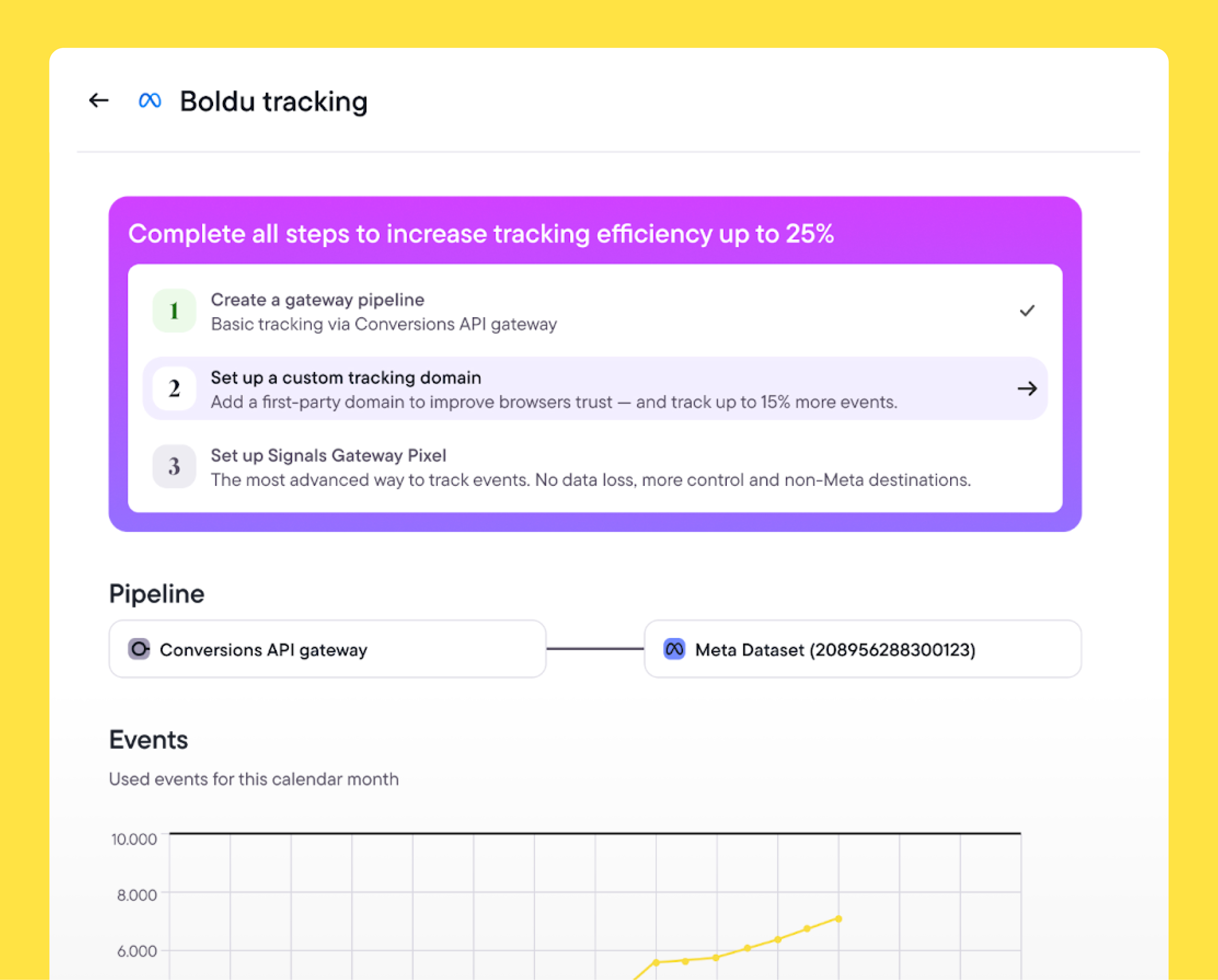
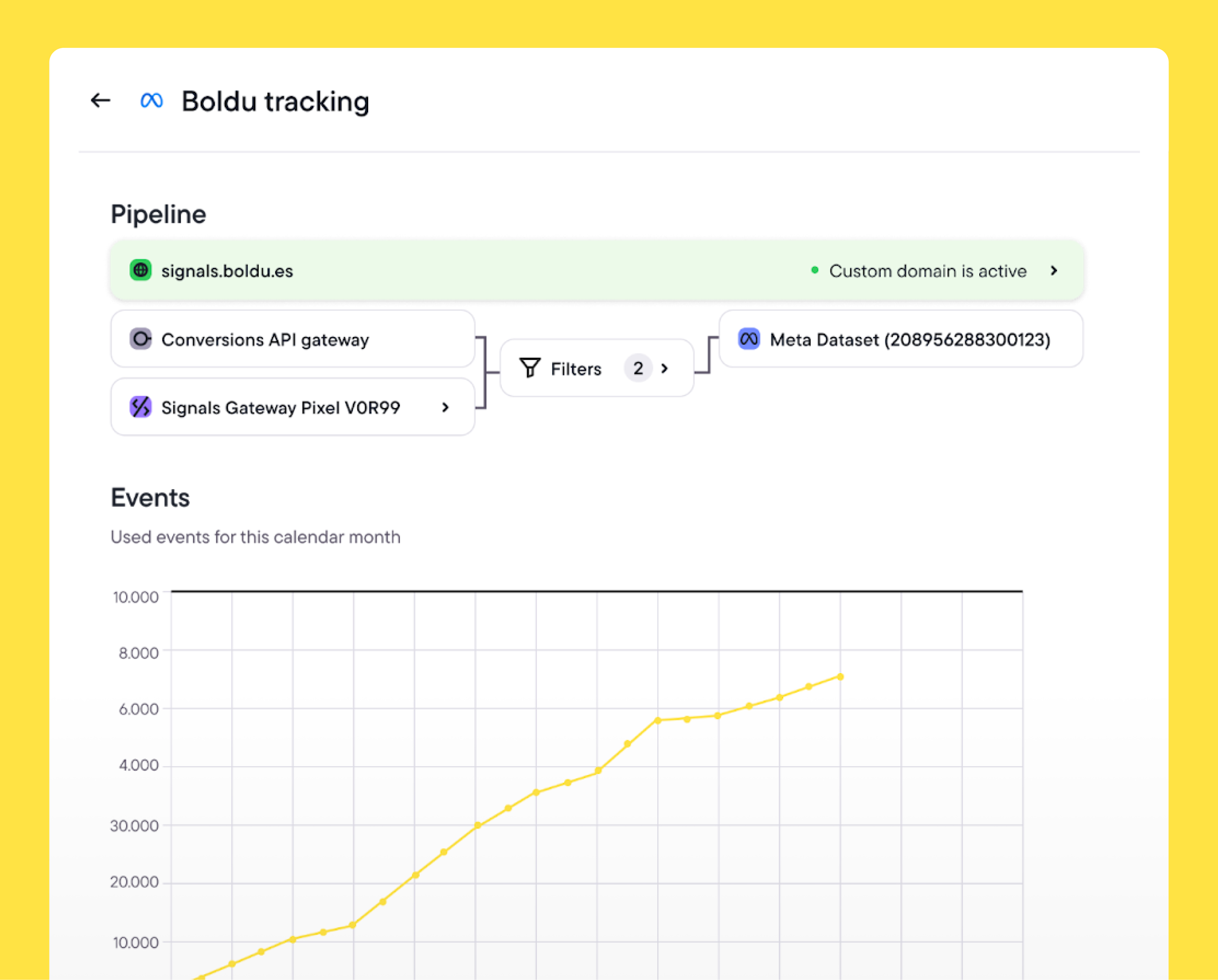
Birch Hub supports this process through its server-side event management interface built on Meta’s Signals Gateway. It enables teams to collect first-party events from their site or backend systems and send them to Meta through CAPI. There’s no need to manage the infrastructure themselves.
The steps below outline how performance teams strengthen attribution in practice and where Birch Hub can help simplify the workflow.
Discover Birch Hub
Strengthen attribution signals with Conversions API
Browser-only tracking often drops events when scripts are blocked or cookies expire. A strong Meta conversion API setup helps recover those signals by sending the same events server-side through CAPI.
In Meta Events Manager, configure CAPI for your Pixel and ensure key events such as purchases, leads, or registrations are sent from your server or backend system.
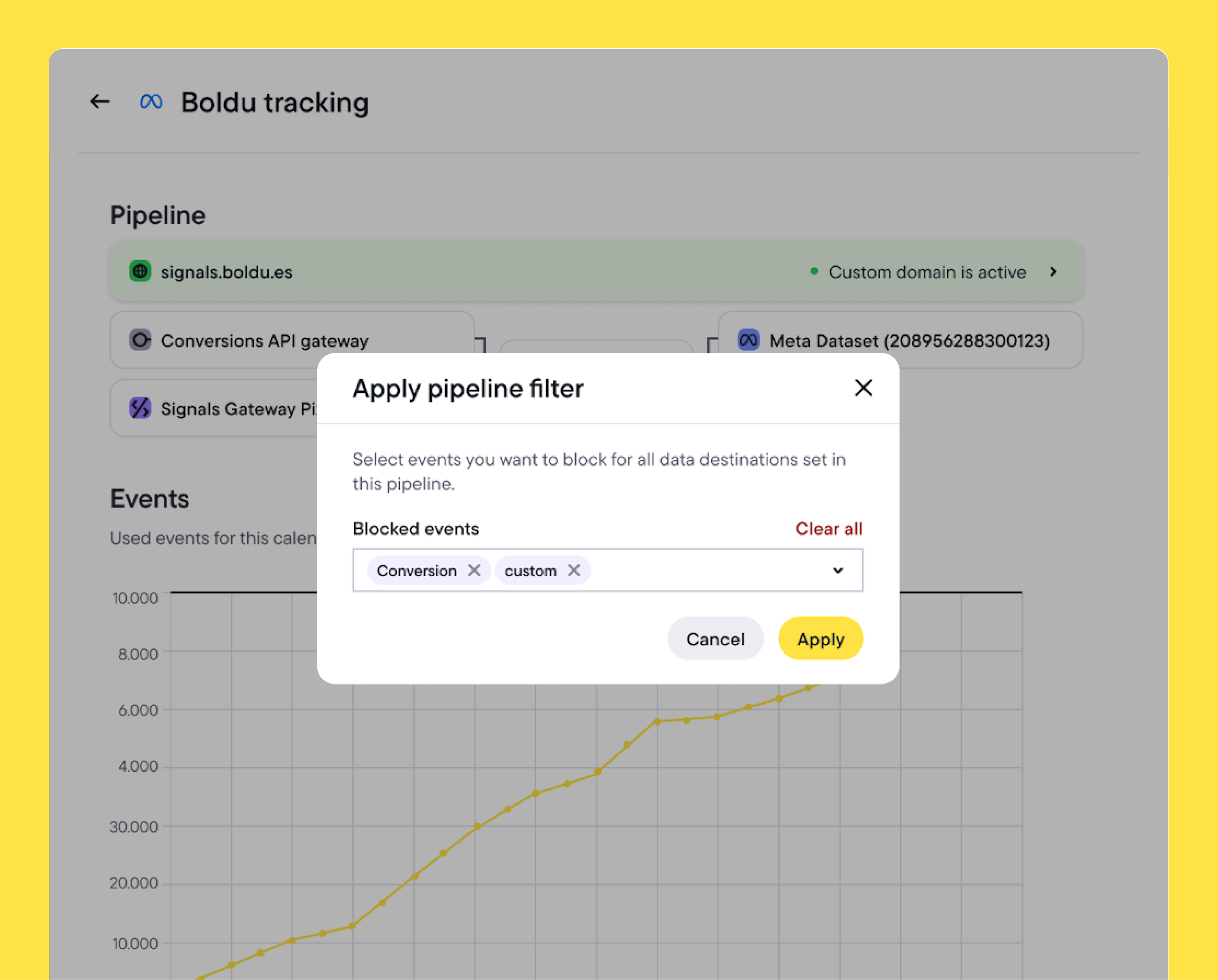
Many teams run a hybrid setup. Both browser and server events are sent and deduplicated, so Meta receives the same conversion signals even when browser tracking fails.
Birch Hub lets teams manage this hybrid setup from a single interface, keeping browser and server events deduplicated and consistent.
Use first-party data and event prioritization
Not every tracked action should influence optimization. Focus on the events that represent real business outcomes.
In Events Manager, review the events configured under AEM and prioritize actions such as purchases or qualified leads above weaker signals like page views or add-to-cart events.
Configure attribution windows and settings correctly
Attribution windows define how long Meta continues to credit an ad after someone interacts with it, such as clicking or viewing the ad. If the window doesn’t reflect how your customers actually convert, reporting may misrepresent performance.
In Ads Manager, review the attribution setting used by your campaigns. The default is 7-day click and 1-day view, but longer or shorter windows may better reflect your real conversion timeline depending on the purchase cycle.
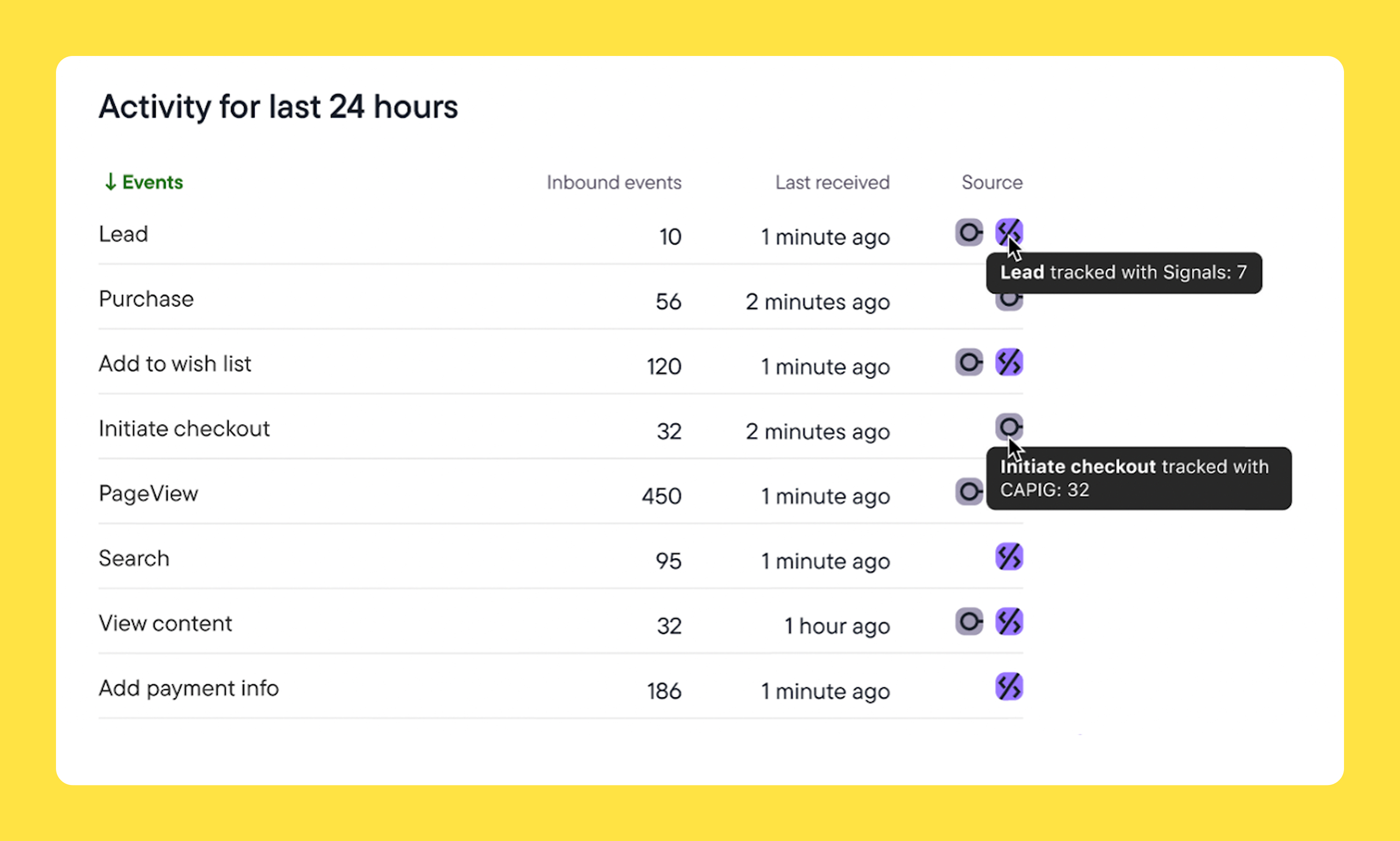
With Birch Hub, you can monitor the events sent to Meta and confirm that key conversions continue to be recorded when attribution settings change.
[INSERT Screenshot of Birch Hub showing conversion events reaching Meta]
Validate attribution accuracy across tools
No single platform shows the full path to conversion, so it’s best to compare reporting across systems.
Review conversions reported in Ads Manager alongside backend records such as orders, CRM entries, or subscription events. Differences with tools like Google Analytics are normal, but large gaps may suggest there are missing or duplicated events.
Birch Hub keeps these events visible across analytics and backend systems, making it easier to compare results and identify gaps in tracking.
Advanced attribution workflows used by performance teams
Many performance teams go beyond basic tracking setups to improve attribution accuracy.
For example, hybrid tracking is common in e-commerce environments. The Meta Pixel captures browser activity while server-side events confirm purchases and revenue from backend systems.
SaaS and lead generation teams often take a similar approach by pushing CRM events, such as qualified leads or closed deals, back to Meta. Optimization is based on lead quality rather than just form submissions.
For advertisers running multiple channels, attribution workflows often include reconciling conversions across platforms like Meta, GA4, and internal reporting to identify overlaps or gaps in measurement.
Birch Hub helps coordinate these workflows. It manages the flow of events between backend systems and Meta, making it easier to keep optimization signals aligned with real business outcomes.
What marketers can actually control in attribution
Facebook Ads attribution will never capture the full path to conversion. Privacy restrictions, multi-channel journeys, and platform limits mean some signals will always be missing.
What teams can control is the quality of the data they send to Meta. Stronger first-party event tracking and consistent validation against backend data give the platform clearer signals for optimization.
Birch Hub helps simplify this process by centralizing server-side event tracking through Signals Gateway, helping performance teams maintain more reliable attribution signals.
Start improving your attribution setup today.
Explore Birch with a 14-day free trial
Accurate Facebook ads attribution is essential for successful campaigns. But many teams struggle to reconcile Meta’s reported conversions with what they see in their analytics tools, backend revenue, or CRM data.
Part of the confusion comes from how attribution works inside Meta’s platform. Privacy changes have weakened tracking signals, and Ads Manager doesn’t always reflect the full path to conversion.
In this article, we take a closer look at Facebook conversion attribution and share practical ways to improve it using Birch Hub.
Key takeaways
Ads Manager rarely shows the full picture—so it might not match what you see in your analytics or CRM.
Attribution problems often come from weak tracking signals, not bad campaigns. When Meta receives incomplete event data, it can optimize toward the wrong ads and distort ROAS.
Browser-only tracking is fragile. Adding server-side events through CAPI helps ensure conversions still reach Meta even when scripts fail or cookies expire.
Even with better tracking, no single platform can tell the whole story. Comparing Ads Manager results with backend data is essential to understand what’s actually driving revenue.
Tools like Birch Hub make this process easier by managing server-side events and first-party data flows, helping teams maintain stronger attribution signals across their stack.
What Facebook conversion attribution actually means
Conversion attribution is how Meta decides which ads get credit for conversions. It looks at the signals it has available and connects those conversions to ad interactions in Ads Manager reporting.
Conversion tracking vs attribution
Before attribution can happen, the conversion itself has to be recorded.
Meta Events Manager
Conversion tracking records that an event happened on your site or app through tools like the Meta Pixel or Conversions API, which are configured and monitored in Events Manager.
Attribution determines whether that conversion should be counted as the result of an ad.
Reporting signals vs optimization signals
Once conversions are attributed, those signals serve different roles inside the platform.
Reporting signals show what happened after the fact, such as conversions or revenue in Ads Manager.
Meta Events Manager
Optimization signals are the events the delivery system learns from to find users who are more likely to convert and improve ad delivery, such as purchases, add-to-cart actions, lead submissions, or registrations.
Why attribution accuracy impacts ROAS and creative testing
ROAS calculations and creative decisions depend on the conversion signals available in reporting. When attribution is incomplete, some conversions are missed or credited incorrectly, which changes how campaigns appear to perform in Ads Manager.
As a result, budgets and optimization decisions can shift toward ads that look effective in the data rather than those actually driving purchases. Over time, that misalignment can distort ROAS calculations and make it harder to identify which creatives genuinely influence revenue.
How Facebook attribution models and windows work
Click-through vs view-through attribution
Click-through attribution counts conversions after someone clicks an ad, which is typical in performance campaigns where users are expected to act immediately.
View-through attribution credits conversions when someone saw the ad but didn’t click. This is more common in reach or awareness campaigns.
Facebook attribution windows explained
An attribution window defines how long Meta continues to credit an ad after an interaction. The default setting is seven-day click and one-day view, meaning Meta attributes a conversion if it happens within seven days of a click or within one day of seeing the ad.
Changing the attribution window changes how many conversions appear in Ads Manager, since longer windows capture more delayed conversions while shorter windows focus on immediate responses.
Aggregated Event Measurement and attribution limits
Aggregated Event Measurement (AEM) was introduced after Apple’s iOS privacy changes restricted how user activity could be tracked across apps and websites.
Under AEM, only a limited number of conversion events can be prioritized per domain. For users who opt out of tracking, Meta relies more heavily on aggregated and modeled data.
Reporting can also be delayed by up to 72 hours, which reduces visibility into some lower-funnel actions.
Where attribution actually happens in the Meta ecosystem
Attribution decisions are calculated inside Meta’s ad platform using signals from tools like the Meta Pixel, CAPI, and event matching.
Other analytics tools observe different signals and apply different attribution methods, which means they often report different results.
Why Facebook ads attribution is often inaccurate
Several factors limit how accurately Meta can connect ads to conversions.
iOS privacy restrictions: Apple’s App Tracking Transparency limits cross-app tracking. When users opt out, Meta receives fewer identifiers, making it harder to link ad interactions to conversions.
Ad blockers and browser restrictions: Tracking scripts and cookies can be blocked before they fire, preventing conversion events from reaching Meta.
Cross-device behavior: A user might click an ad on mobile but complete the purchase later on another device. Without strong identity signals, that conversion may not be attributed to the ad.
Modeled conversions:Because Meta can’t see every interaction, some reported conversions are estimated. That means part of the reported results comes from modeling, not direct tracking.
We saw the impact of inaccurate attribution with CricksyDog. Browser tracking restrictions prevented a large portion of their website events from reaching Meta, leaving the platform to optimize on incomplete conversion signals, which led to higher CPAs.
Common attribution mistakes and structural limitations
Signal loss isn’t the whole story. Attribution issues also come from how the data is interpreted and from structural limits in how platform attribution works.
One common mistake is incomplete or incorrect tracking setups. Missing Pixel or Conversions API implementations, or misconfigured events, can leave parts of the user journey untracked. This can distort how purchases and leads appear in reporting.
Another issue comes from relying on default attribution windows—such as 7-day click and 1-day view—without adjusting them for the campaign. Different products and funnels produce conversions on different timelines, so default settings may not reflect how customers actually convert.
Comparing Meta Ads Manager numbers directly with Google Analytics can also create confusion. The platforms use different attribution models and observe different signals, so the numbers rarely match exactly.
Some attribution limits are structural rather than technical. Meta can only report interactions it sees within its own platform, which means parts of the customer journey may fall outside its visibility.
This becomes especially noticeable when conversions happen away from the tracked environment. Offline purchases, for example, will not be connected to an ad unless that data is uploaded manually.
Longer purchase cycles create a similar gap. If someone converts weeks after interacting with an ad, the action may fall outside the attribution window and never be credited to the campaign.
How to improve Facebook conversion attribution step by step
To improve Facebook ads attribution, you need reliable event tracking and clear validation of conversions across your analytics and backend systems.
Birch Hub supports this process through its server-side event management interface built on Meta’s Signals Gateway. It enables teams to collect first-party events from their site or backend systems and send them to Meta through CAPI. There’s no need to manage the infrastructure themselves.
The steps below outline how performance teams strengthen attribution in practice and where Birch Hub can help simplify the workflow.
Discover Birch Hub
Strengthen attribution signals with Conversions API
Browser-only tracking often drops events when scripts are blocked or cookies expire. A strong Meta conversion API setup helps recover those signals by sending the same events server-side through CAPI.
In Meta Events Manager, configure CAPI for your Pixel and ensure key events such as purchases, leads, or registrations are sent from your server or backend system.
Many teams run a hybrid setup. Both browser and server events are sent and deduplicated, so Meta receives the same conversion signals even when browser tracking fails.
Birch Hub lets teams manage this hybrid setup from a single interface, keeping browser and server events deduplicated and consistent.
Use first-party data and event prioritization
Not every tracked action should influence optimization. Focus on the events that represent real business outcomes.
In Events Manager, review the events configured under AEM and prioritize actions such as purchases or qualified leads above weaker signals like page views or add-to-cart events.
Configure attribution windows and settings correctly
Attribution windows define how long Meta continues to credit an ad after someone interacts with it, such as clicking or viewing the ad. If the window doesn’t reflect how your customers actually convert, reporting may misrepresent performance.
In Ads Manager, review the attribution setting used by your campaigns. The default is 7-day click and 1-day view, but longer or shorter windows may better reflect your real conversion timeline depending on the purchase cycle.
With Birch Hub, you can monitor the events sent to Meta and confirm that key conversions continue to be recorded when attribution settings change.
[INSERT Screenshot of Birch Hub showing conversion events reaching Meta]
Validate attribution accuracy across tools
No single platform shows the full path to conversion, so it’s best to compare reporting across systems.
Review conversions reported in Ads Manager alongside backend records such as orders, CRM entries, or subscription events. Differences with tools like Google Analytics are normal, but large gaps may suggest there are missing or duplicated events.
Birch Hub keeps these events visible across analytics and backend systems, making it easier to compare results and identify gaps in tracking.
Advanced attribution workflows used by performance teams
Many performance teams go beyond basic tracking setups to improve attribution accuracy.
For example, hybrid tracking is common in e-commerce environments. The Meta Pixel captures browser activity while server-side events confirm purchases and revenue from backend systems.
SaaS and lead generation teams often take a similar approach by pushing CRM events, such as qualified leads or closed deals, back to Meta. Optimization is based on lead quality rather than just form submissions.
For advertisers running multiple channels, attribution workflows often include reconciling conversions across platforms like Meta, GA4, and internal reporting to identify overlaps or gaps in measurement.
Birch Hub helps coordinate these workflows. It manages the flow of events between backend systems and Meta, making it easier to keep optimization signals aligned with real business outcomes.
What marketers can actually control in attribution
Facebook Ads attribution will never capture the full path to conversion. Privacy restrictions, multi-channel journeys, and platform limits mean some signals will always be missing.
What teams can control is the quality of the data they send to Meta. Stronger first-party event tracking and consistent validation against backend data give the platform clearer signals for optimization.
Birch Hub helps simplify this process by centralizing server-side event tracking through Signals Gateway, helping performance teams maintain more reliable attribution signals.
Facebook attribution can be useful for understanding campaign performance, but it isn’t perfectly accurate. This is due to factors like signal loss, privacy restrictions, and cross-channel customer journeys.
Why don’t Facebook and GA4 conversions match?
Meta and GA4 use different attribution models, tracking methods, and reporting windows, so they measure different parts of the user journey.
What attribution window should I use?
The optimal attribution window for you depends on your sales cycle. Short windows work for quick purchases. Wider windows are better for products with longer consideration periods.
How do I change attribution settings in Facebook?
To change attribution settings in Facebook Ads, go to Ads Manager, select the campaign or ad set you want to edit, and open the Ad Set settings. Under Optimization & delivery, find the Attribution setting section and choose the attribution window you want.
Does Conversions API improve attribution?
CAPI improves attribution by sending events directly from your server to Meta, reducing signal loss from browsers and improving match quality.
Can I fully trust Facebook conversion data?
We recommend using Facebook conversion data as a directional signal. For a clearer view of performance, compare it with backend data, CRM records, and other analytics tools.
Aurora Sandino
is a writer and SEO strategist focused on marketing, performance, and the digital landscape. She's a contributing writer for Birch, with a background in content strategy and client account management.