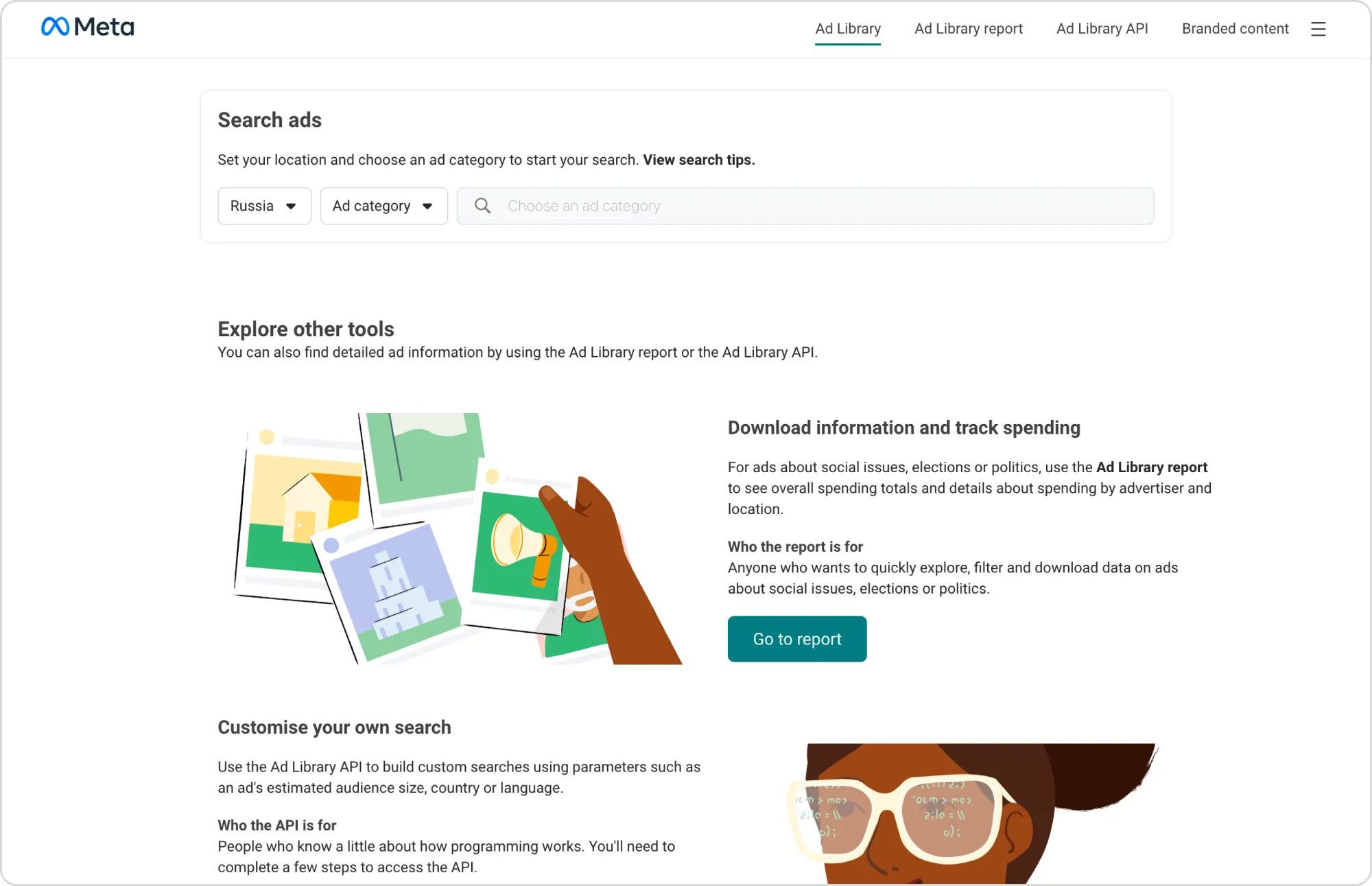
Meta’s Ad Library is a window into how the world’s biggest brands advertise across Facebook, Instagram, Messenger, and the Audience Network. It lets you see how advertisers test creative ideas, adjust messaging, and allocate spend—all in real-time.
For advertisers, the Ad Library is a practical source of insight that can inform testing and give you a competitive edge.
In this guide, find out how to use Meta Ad Library strategically to get ahead with creative trends, reverse-engineer high-performing strategies, and integrate insights into Birch Explorer workflows for a continuous optimization loop.
Key takeaways
The Meta Ad Library reveals creative trends, pacing strategies, and spending patterns, helping marketers make smarter decisions.
Ad duration, variation depth, and placements highlight which messages and formats consistently perform.
Competitive insights are most useful when you turn them into tests that refine strategy.
Birch Explorer connects observed trends with live performance data, enabling faster adaptation and ongoing optimization.
What is the Meta Ad Library, and how does it work?
The Meta Ad Library is a public database that shows every active and inactive ad running across Meta platforms. It was built to promote transparency, but it has also become a valuable research tool for marketers.
By setting just a few filters, you can explore live campaigns, uncover how brands craft narratives, and see which concepts scale. Every ad offers a glimpse into real performance signals—copy, visuals, timing, and audience focus.
What once required internal access or paid tools is now open data. These insights help you understand what your competitors are doing and why their strategies are working.
Here are the core features at a glance:
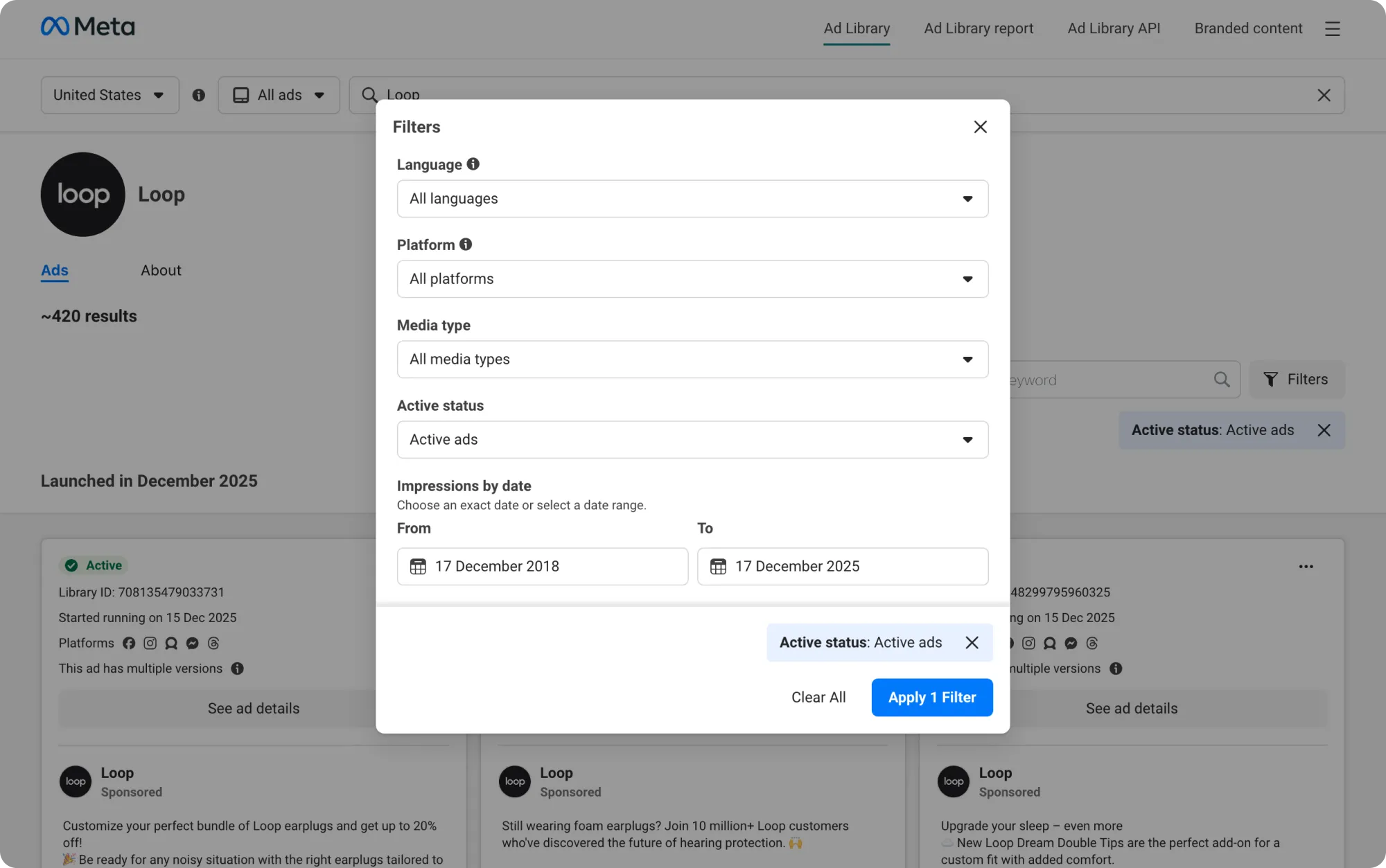
Advanced search filters: You can search by advertiser or keyword to view all active and inactive campaigns.
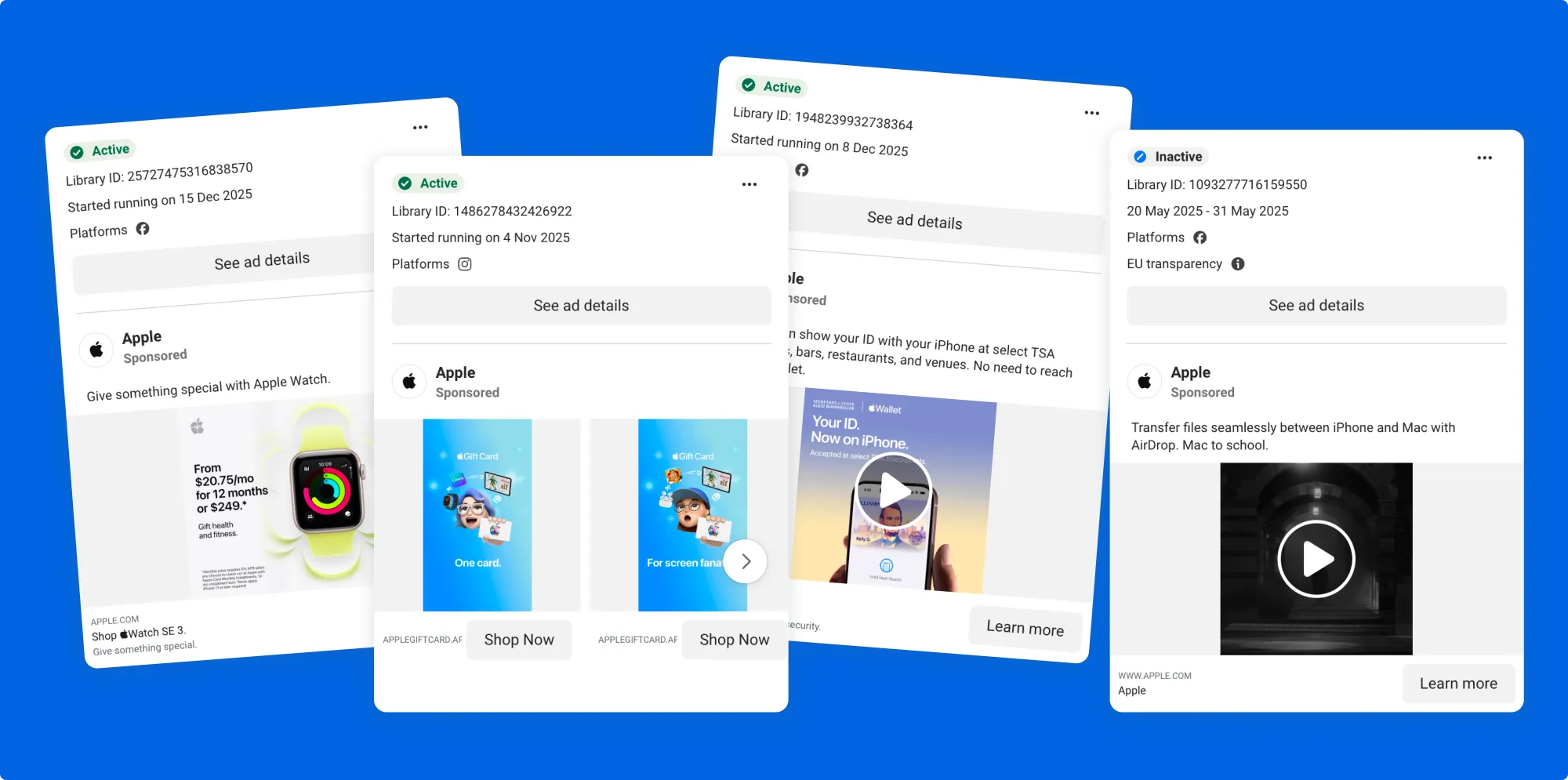
Creative variations at scale: Explore every version of an ad—visuals, copy, CTAs, and formats.
Cross-platform visibility: Track campaigns on Facebook, Instagram, Messenger, and Audience Network.
Political and issue ad disclosures: See funding sources and compliance details.
💡 Pro tip: Inactive ads remain visible for up to one year after their last impression—meaning you can look at entire campaign lifecycles.
Ad transparency redefines how marketers learn, compete, and build creative strategies. Instead of relying on guesswork, you can now observe and interpret live market behavior.
Competitor campaigns become real-world test cases that reveal what works and which promotions sustain spend. They also show you where there may be gaps in the market.
Here’s how those observations turn into practical advantages for your own campaigns:
Creative strategy: Studying visual style, tone, and storytelling patterns reveals emerging trends before they peak. This means you can get on board early instead of playing catch-up.
Campaign context: Insights from flight dates, ad frequency, and variation depth reveal how competitors keep winners running—and when they decide it’s time to shift gears.
Spotting trends: Monitoring how messaging, audience focus, or seasonal angles evolve helps you move early, before the space feels saturated.
How to use the Meta Ad Library: search and filter strategies
You can start by entering a brand name or keyword. Mixing broad and niche terms can help you capture both established players and rising competitors.
Use variations—such as synonyms and trending themes—to reveal how different advertisers address the same audience’s pain points. You can then map how messaging evolves across your category.
Filters turn the Ad Library into a precision research tool. These options help you uncover deeper strategic insights:
Segment by country, language, or platform to understand how brands localize campaigns and allocate spend.
Filter by media type (video, image, carousel, text-only) to see which formats dominate your vertical.
Adjust by date range (week, month, or quarter) to detect seasonal launches and test cycles.
💡 Pro tip: Scroll to a brand’s oldest active ads. Ads that have been running for months are shaping the brand’s long-term messaging playbook.
How to analyze competitors’ ads with the Meta Ad Library
Once you’ve gathered your data, the next step is interpretation—turning what you see into competitive intelligence.
You can start by analyzing the copy, visuals, and CTAs of the ads that have been running the longest. Longevity and repetition often signal a strong creative–market fit.
Pay close attention to how tone and storytelling shift across placements—what a brand says in a Facebook Feed ad often differs from how it communicates in Instagram Reels or Stories.
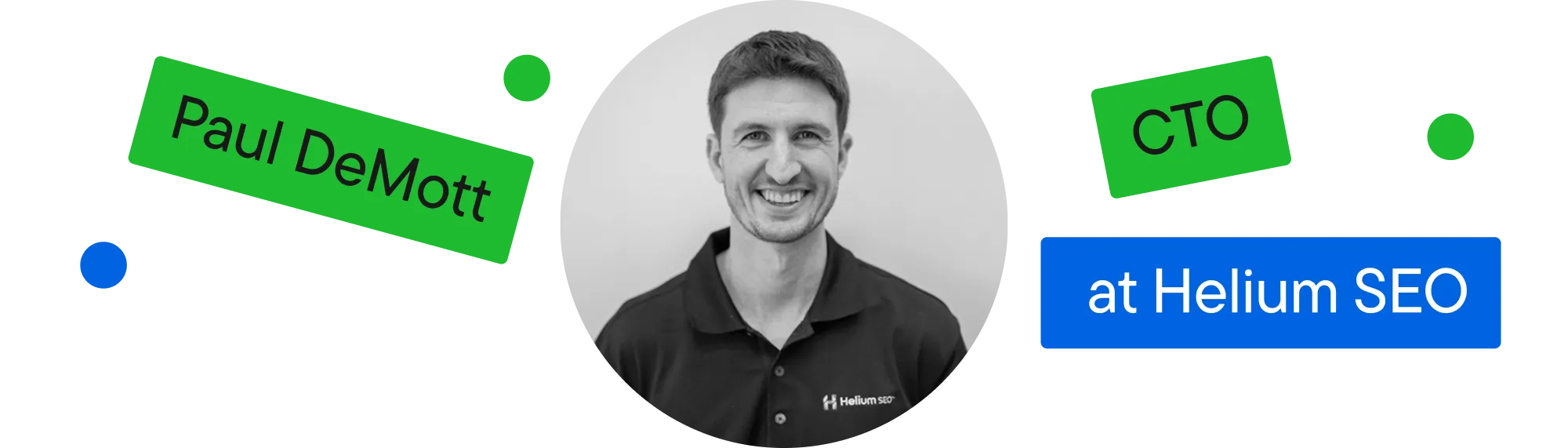
Paul DeMott, CTO at Helium SEO, shared that his team often dissects around 50 competitor ads to uncover recurring creative structures. He breaks each one into three elements: hook, value proposition, CTA.
He looks for patterns in urgency-driven words like “now” or “limited,” since repetition often shows where a brand’s messaging pressure points lie. “When you map those patterns,” DeMott explains, “you start to see the emotional triggers and framing strategies that define how a competitor speaks to their audience.”
In one example, he points out that finance advertisers frequently open with striking data—“Only 8% of investors beat the S&P 500”—to spark curiosity and establish authority.
Recognizing those frameworks helps identify a brand’s underlying strategy and, more importantly, where your own message can provide a sharper or more relevant counterpoint.
Another helpful approach is to look beyond individual ads and study how campaigns are structured. Placement combinations reveal how brands integrate awareness, engagement, and conversion efforts to achieve their objectives.
Keep track of how often updates are made and the runtime to see how quickly teams test and scale. Regularly refreshed assets point to an agile optimization process.
You’ll get an even clearer picture when you use filters such as country and placement to help you understand where and how brands allocate their budgets and which segments they prioritize. Frequent use of Instagram Stories may suggest a younger audience or top-of-funnel engagement, whereas persistent Feed placements often indicate conversion-heavy remarketing.
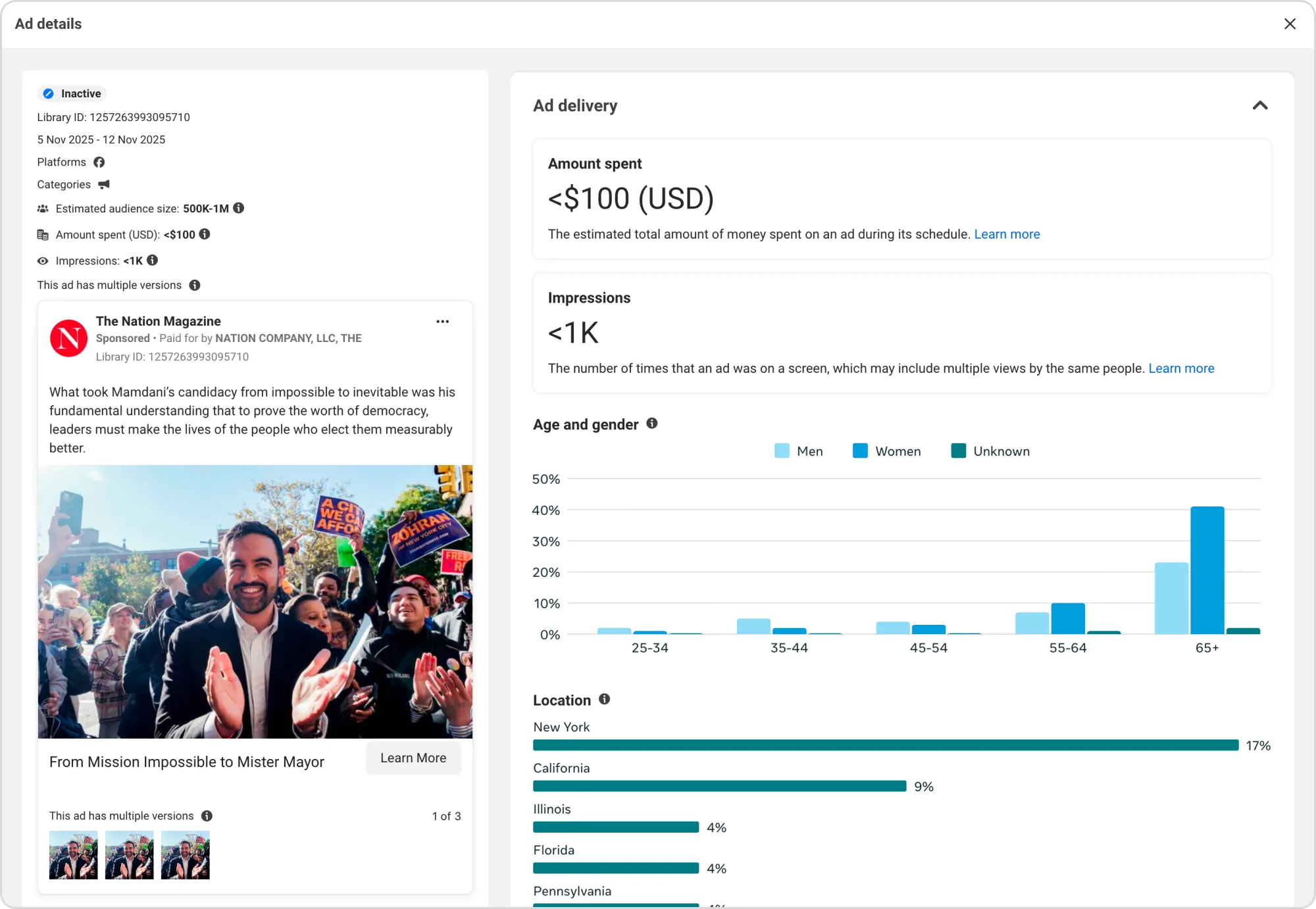
The European Union Ad Library shows reach by age, gender, and location, along with payer details and a longer data retention period of one year after the last impression.
How to improve ad campaigns with Meta Ad Library
Meta Ad Library can reveal insights you can use to improve your own campaigns. Focus on what successful advertisers do repeatedly and translate those observations into tests that validate whether the same approaches work for your audience.
Here’s how you can apply what you find:
Pacing guides your testing cadence: If top brands refresh creative weekly or bi-weekly, test a similar cadence and see whether faster updates reduce fatigue or improve CTR.
Placement refines your media mix: When competitors consistently lean into Stories, Reels, or Feed placements, use that as a signal to adjust your own allocation and test whether those formats drive lower costs or higher intent.
Recurring hooks and narratives shape new angles:If the same emotional triggers or proof points keep appearing across your category, turn them into structured hypotheses for your next creative tests.
Regional differences unlock personalization opportunities:When brands change their messaging or offers by market, build regional variants into your own campaigns and test whether those adjustments lead to stronger engagement.
Note what’s missing: If you notice underused formats, neglected audiences, or angles no one’s exploring, create tests around those spaces before competitors move in.
💡 Pro tip: The Branded Content section shows which creators brands partner with and how messaging shifts across audiences. While you can’t access performance data, recurring collaborations reveal what drives engagement and how influencer content supports broader campaigns.
Scaling competitive analysis with Birch Explorer
Birch Explorer bridges the gap between what you see in Meta’s Ad Library and what actually drives performance inside your own accounts.
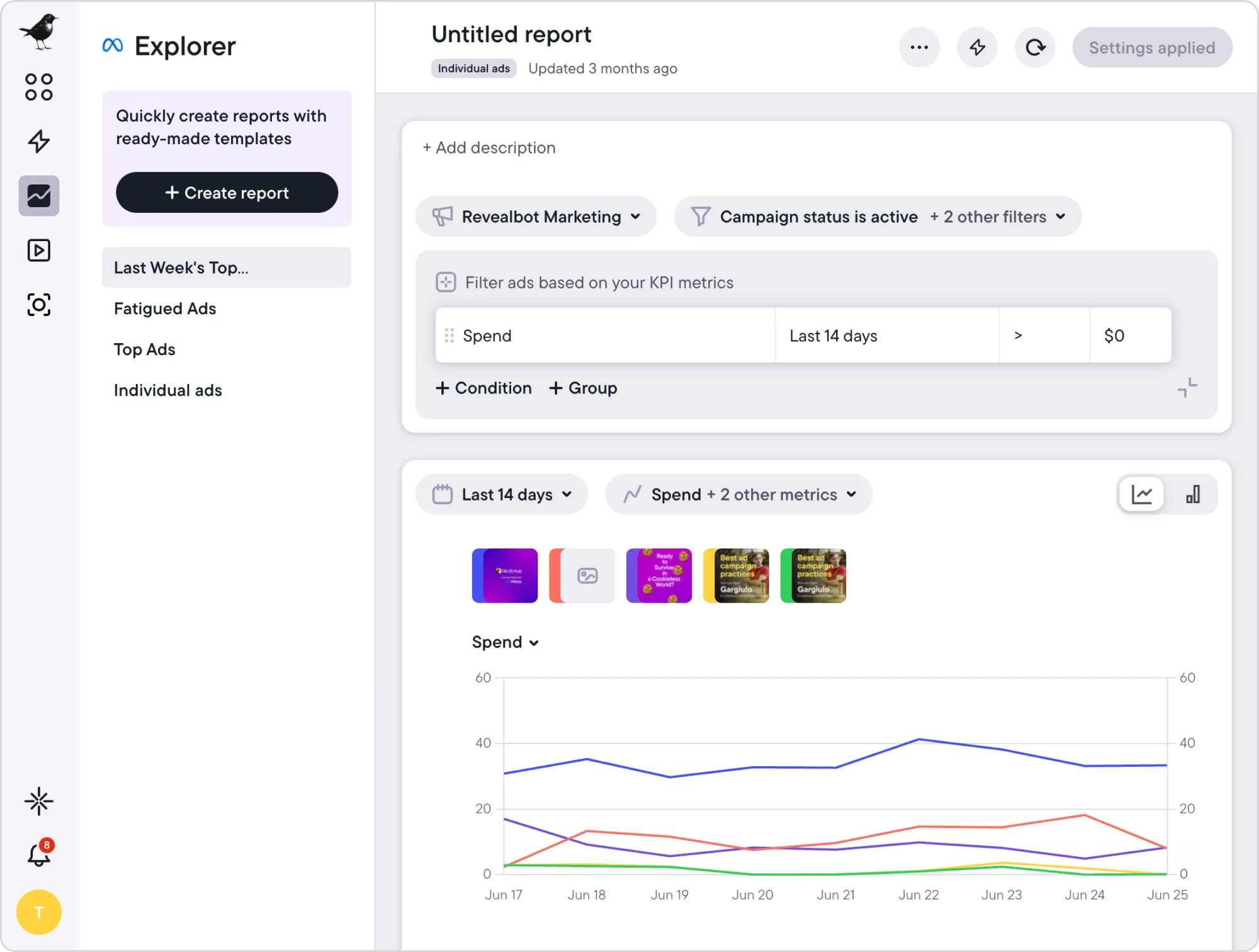
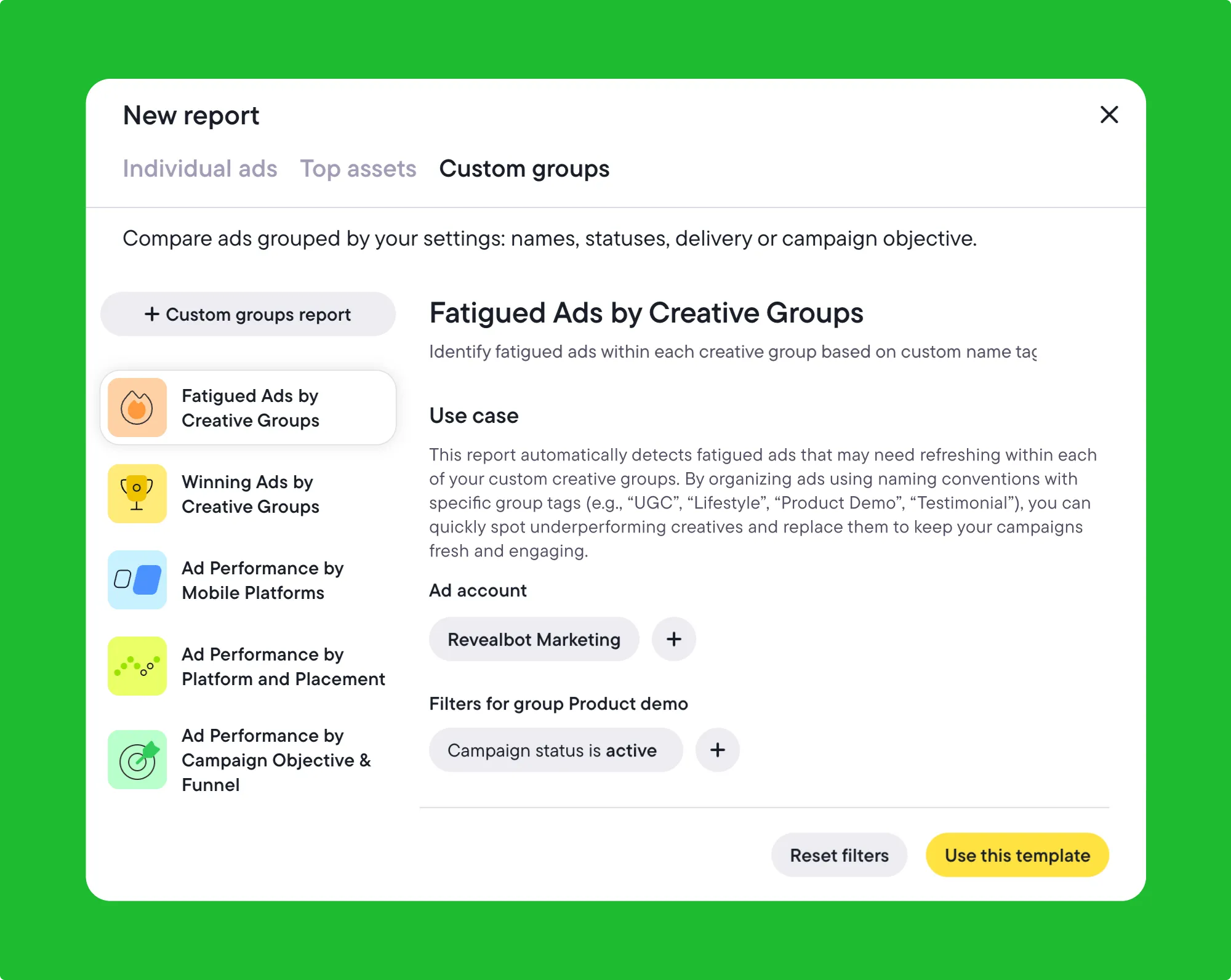
Explorer tracks performance trends across campaigns, compares metrics side by side, and filters data by KPI, ad account, or creative grouping. That makes it easy to see which ideas are landing, which aren’t, and where to focus your next test.
Birch Explorer
You can connect your own performance data, integrate external sources via Google Sheets, and align reporting windows to the periods that matter most. The insights you uncovered in the Ad Library become hypotheses you can validate with Explorer—backed by real numbers, not assumptions.
Explorer also turns this process into a repeatable system. With live data visualized across Meta and other platforms, it becomes easier to benchmark progress, identify fatigue early, and spot trends before they impact ROI.
Birch Explorer
Go from analysis to action with Explorer.
Ethical use and responsible research
Responsible use begins with data ethics. Any ad analysis you conduct should adhere to the boundaries of privacy regulations, such as GDPR, CCPA, and the EU AI Act.
The Meta Ad Library is designed to share aggregated campaign information, not personal data. Insights should remain at the ad or creative level—never tied to individuals.
Political and issue ads require extra caution. The Ad Library provides additional transparency data—spend ranges, delivery geography, and sponsorship details—that must be handled with integrity.
These disclosures exist to ensure accountability. Benchmarking message structure or timing can be informative, but repurposing political narratives or implying affiliation goes against the intent of transparency tools.
Beyond compliance, responsible competitive research means learning without copying. The goal isn’t to reproduce someone else’s winning creative—it’s to understand the thinking behind it.
Studying hooks, formats, or storytelling patterns can inspire new directions, but innovation happens when you interpret those insights through your brand’s voice and standards.
From insight to implementation
The Meta Ad Library offers a clear view of how brands communicate and compete. The next step is connecting those insights to real performance.
Birch Explorer makes that connection possible—linking creative insights with live performance data to validate ideas, refine strategy, and guide future testing.
Together, these tools create a practical feedback loop: research informs experimentation, results shape direction, and every campaign becomes an opportunity to learn faster and perform smarter.
Explore Birch with a 14-day free trial
Meta’s Ad Library is a window into how the world’s biggest brands advertise across Facebook, Instagram, Messenger, and the Audience Network. It lets you see how advertisers test creative ideas, adjust messaging, and allocate spend—all in real-time.
For advertisers, the Ad Library is a practical source of insight that can inform testing and give you a competitive edge.
In this guide, find out how to use Meta Ad Library strategically to get ahead with creative trends, reverse-engineer high-performing strategies, and integrate insights into Birch Explorer workflows for a continuous optimization loop.
Key takeaways
The Meta Ad Library reveals creative trends, pacing strategies, and spending patterns, helping marketers make smarter decisions.
Ad duration, variation depth, and placements highlight which messages and formats consistently perform.
Competitive insights are most useful when you turn them into tests that refine strategy.
Birch Explorer connects observed trends with live performance data, enabling faster adaptation and ongoing optimization.
What is the Meta Ad Library, and how does it work?
The Meta Ad Library is a public database that shows every active and inactive ad running across Meta platforms. It was built to promote transparency, but it has also become a valuable research tool for marketers.
By setting just a few filters, you can explore live campaigns, uncover how brands craft narratives, and see which concepts scale. Every ad offers a glimpse into real performance signals—copy, visuals, timing, and audience focus.
What once required internal access or paid tools is now open data. These insights help you understand what your competitors are doing and why their strategies are working.
Here are the core features at a glance:
Advanced search filters: You can search by advertiser or keyword to view all active and inactive campaigns.
Creative variations at scale: Explore every version of an ad—visuals, copy, CTAs, and formats.
Cross-platform visibility: Track campaigns on Facebook, Instagram, Messenger, and Audience Network.
Political and issue ad disclosures: See funding sources and compliance details.
💡 Pro tip: Inactive ads remain visible for up to one year after their last impression—meaning you can look at entire campaign lifecycles.
Ad transparency redefines how marketers learn, compete, and build creative strategies. Instead of relying on guesswork, you can now observe and interpret live market behavior.
Competitor campaigns become real-world test cases that reveal what works and which promotions sustain spend. They also show you where there may be gaps in the market.
Here’s how those observations turn into practical advantages for your own campaigns:
Creative strategy: Studying visual style, tone, and storytelling patterns reveals emerging trends before they peak. This means you can get on board early instead of playing catch-up.
Campaign context: Insights from flight dates, ad frequency, and variation depth reveal how competitors keep winners running—and when they decide it’s time to shift gears.
Spotting trends: Monitoring how messaging, audience focus, or seasonal angles evolve helps you move early, before the space feels saturated.
How to use the Meta Ad Library: search and filter strategies
You can start by entering a brand name or keyword. Mixing broad and niche terms can help you capture both established players and rising competitors.
Use variations—such as synonyms and trending themes—to reveal how different advertisers address the same audience’s pain points. You can then map how messaging evolves across your category.
Filters turn the Ad Library into a precision research tool. These options help you uncover deeper strategic insights:
Segment by country, language, or platform to understand how brands localize campaigns and allocate spend.
Filter by media type (video, image, carousel, text-only) to see which formats dominate your vertical.
Adjust by date range (week, month, or quarter) to detect seasonal launches and test cycles.
💡 Pro tip: Scroll to a brand’s oldest active ads. Ads that have been running for months are shaping the brand’s long-term messaging playbook.
How to analyze competitors’ ads with the Meta Ad Library
Once you’ve gathered your data, the next step is interpretation—turning what you see into competitive intelligence.
You can start by analyzing the copy, visuals, and CTAs of the ads that have been running the longest. Longevity and repetition often signal a strong creative–market fit.
Pay close attention to how tone and storytelling shift across placements—what a brand says in a Facebook Feed ad often differs from how it communicates in Instagram Reels or Stories.
Paul DeMott, CTO at Helium SEO, shared that his team often dissects around 50 competitor ads to uncover recurring creative structures. He breaks each one into three elements: hook, value proposition, CTA.
He looks for patterns in urgency-driven words like “now” or “limited,” since repetition often shows where a brand’s messaging pressure points lie. “When you map those patterns,” DeMott explains, “you start to see the emotional triggers and framing strategies that define how a competitor speaks to their audience.”
In one example, he points out that finance advertisers frequently open with striking data—“Only 8% of investors beat the S&P 500”—to spark curiosity and establish authority.
Recognizing those frameworks helps identify a brand’s underlying strategy and, more importantly, where your own message can provide a sharper or more relevant counterpoint.
Another helpful approach is to look beyond individual ads and study how campaigns are structured. Placement combinations reveal how brands integrate awareness, engagement, and conversion efforts to achieve their objectives.
Keep track of how often updates are made and the runtime to see how quickly teams test and scale. Regularly refreshed assets point to an agile optimization process.
You’ll get an even clearer picture when you use filters such as country and placement to help you understand where and how brands allocate their budgets and which segments they prioritize. Frequent use of Instagram Stories may suggest a younger audience or top-of-funnel engagement, whereas persistent Feed placements often indicate conversion-heavy remarketing.
The European Union Ad Library shows reach by age, gender, and location, along with payer details and a longer data retention period of one year after the last impression.
How to improve ad campaigns with Meta Ad Library
Meta Ad Library can reveal insights you can use to improve your own campaigns. Focus on what successful advertisers do repeatedly and translate those observations into tests that validate whether the same approaches work for your audience.
Here’s how you can apply what you find:
Pacing guides your testing cadence: If top brands refresh creative weekly or bi-weekly, test a similar cadence and see whether faster updates reduce fatigue or improve CTR.
Placement refines your media mix: When competitors consistently lean into Stories, Reels, or Feed placements, use that as a signal to adjust your own allocation and test whether those formats drive lower costs or higher intent.
Recurring hooks and narratives shape new angles:If the same emotional triggers or proof points keep appearing across your category, turn them into structured hypotheses for your next creative tests.
Regional differences unlock personalization opportunities:When brands change their messaging or offers by market, build regional variants into your own campaigns and test whether those adjustments lead to stronger engagement.
Note what’s missing: If you notice underused formats, neglected audiences, or angles no one’s exploring, create tests around those spaces before competitors move in.
💡 Pro tip: The Branded Content section shows which creators brands partner with and how messaging shifts across audiences. While you can’t access performance data, recurring collaborations reveal what drives engagement and how influencer content supports broader campaigns.
Scaling competitive analysis with Birch Explorer
Birch Explorer bridges the gap between what you see in Meta’s Ad Library and what actually drives performance inside your own accounts.
Explorer tracks performance trends across campaigns, compares metrics side by side, and filters data by KPI, ad account, or creative grouping. That makes it easy to see which ideas are landing, which aren’t, and where to focus your next test.
Birch Explorer
You can connect your own performance data, integrate external sources via Google Sheets, and align reporting windows to the periods that matter most. The insights you uncovered in the Ad Library become hypotheses you can validate with Explorer—backed by real numbers, not assumptions.
Explorer also turns this process into a repeatable system. With live data visualized across Meta and other platforms, it becomes easier to benchmark progress, identify fatigue early, and spot trends before they impact ROI.
Birch Explorer
Go from analysis to action with Explorer.
Ethical use and responsible research
Responsible use begins with data ethics. Any ad analysis you conduct should adhere to the boundaries of privacy regulations, such as GDPR, CCPA, and the EU AI Act.
The Meta Ad Library is designed to share aggregated campaign information, not personal data. Insights should remain at the ad or creative level—never tied to individuals.
Political and issue ads require extra caution. The Ad Library provides additional transparency data—spend ranges, delivery geography, and sponsorship details—that must be handled with integrity.
These disclosures exist to ensure accountability. Benchmarking message structure or timing can be informative, but repurposing political narratives or implying affiliation goes against the intent of transparency tools.
Beyond compliance, responsible competitive research means learning without copying. The goal isn’t to reproduce someone else’s winning creative—it’s to understand the thinking behind it.
Studying hooks, formats, or storytelling patterns can inspire new directions, but innovation happens when you interpret those insights through your brand’s voice and standards.
From insight to implementation
The Meta Ad Library offers a clear view of how brands communicate and compete. The next step is connecting those insights to real performance.
Birch Explorer makes that connection possible—linking creative insights with live performance data to validate ideas, refine strategy, and guide future testing.
Together, these tools create a practical feedback loop: research informs experimentation, results shape direction, and every campaign becomes an opportunity to learn faster and perform smarter.
The Meta Ad Library is a public database that allows anyone to view active and inactive ads across Facebook, Instagram, Messenger, and Audience Network. It’s designed for transparency but also offers valuable insights for marketers researching creative trends, messaging angles, and competitive strategies.
How can I use the Meta Ad Library for competitive analysis?
You can explore how your competitors structure their campaigns and analyze ad copy, visuals, and duration to find out what performs well.
What data can I see in the Meta Ad Library?
The library displays ad creative, spend ranges, delivery dates, placements, and advertiser details. For political or issue-based ads, it also includes impressions, funding sources, and geographic delivery breakdowns.
How does Birch Explorer complement the Meta Ad Library?
Explorer helps you understand how the insights you get from the Ad Library perform in practice. It centralizes your ad data, tracks creative trends, and measures performance across Meta, Google, and TikTok—turning competitive research into a strategy you can action.
Is it ethical to analyze competitors’ ads?
Analyzing competitors’ ads requires a responsible approach. The Meta Ad Library is a transparency tool intended for aggregated insights, not personal data. Analysis should focus on creative and campaign-level trends, not individual users or sensitive information.
How does the Meta Ad Library API work?
The Ad Library API offers programmatic access to transparency data available in the Meta Ad Library. It’s primarily designed for academic researchers, journalists, and organizations studying political or issue advertising.
What happened to Revealbot?
Revealbot has a new look and a new name—we’re now Birch! The change highlights our focus on bringing together the best of automation and creative teamwork.
Ana Siu
is a content marketing expert and writer specializing in marketing, technology, and social change. She is a contributor to the Birch Blog and has a background in advertising, journalism, and SaaS.