Ready to scale your ad performance with structured automation? Try Birch.
At a recent Birch event, one of our clients walked in with something we don’t usually see: a Google doc with a list of questions.
They were specific, operational questions about workflows, platforms, rule structure, and the limits of what automation can actually do.
These are the kind of questions teams start asking once the fundamentals are in place and the focus shifts to improving performance and efficiency. What follows is a practical breakdown of those topics.
If you’ve been thinking along similar lines, this should help.
How teams implement ad automation—and where humans still lead
FAQ: How do companies currently implement ad automations in their marketing workflows?
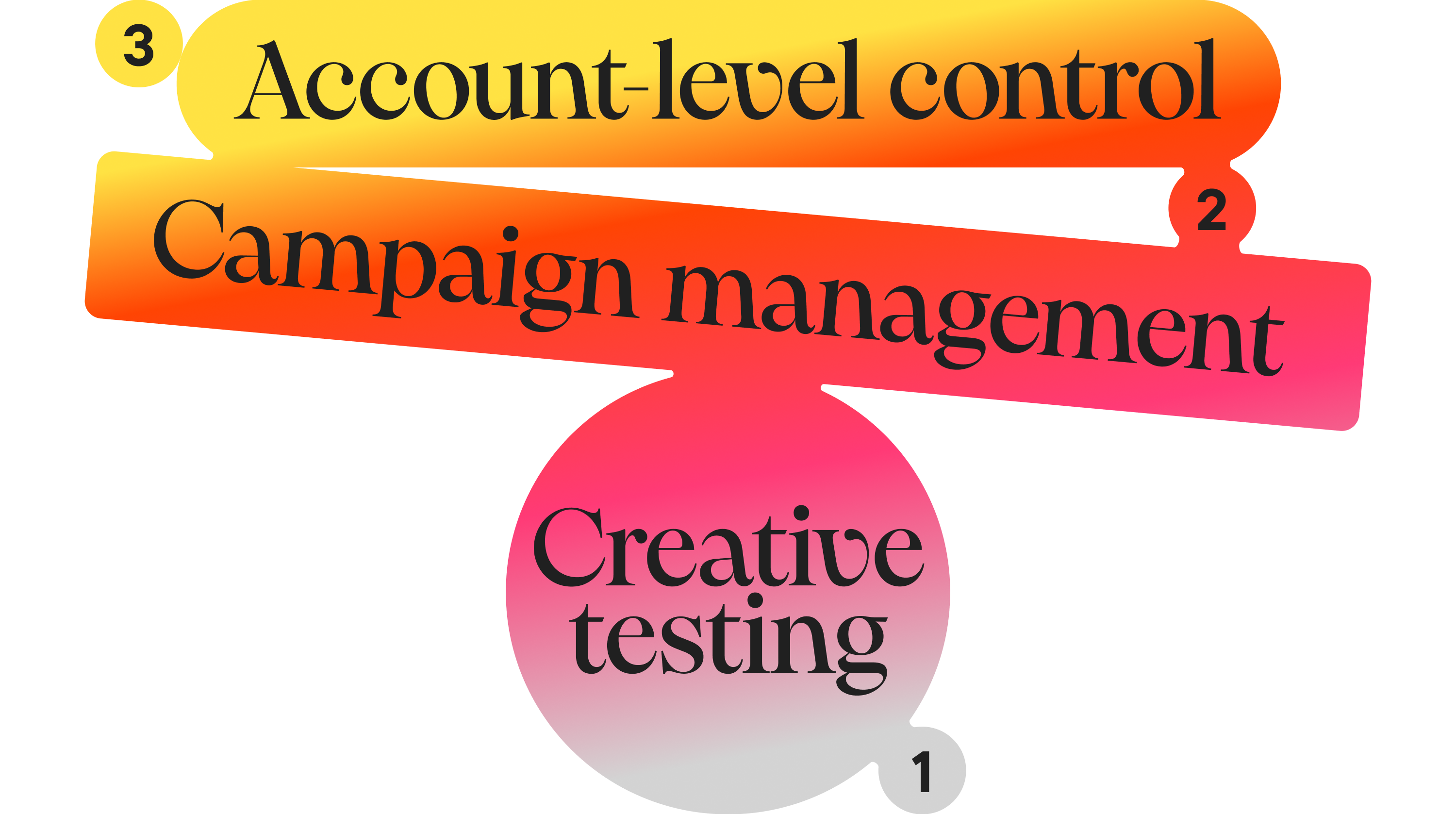
Most high-performing teams structure automation into three core workflows: creative testing, ongoing campaign management, and account-level control.
“Automation” can mean very different things, from a single rule to a fully structured system. Most performance gains happen in that gap.
What we see across Birch accounts is that high-performing teams don’t apply rules randomly. They structure them into clear workflows.
The first such workflow is creative testing.
Automation replaces manual check-ins and becomes a constant filter, with new ads evaluated against early performance signals using rules. For example, creatives can be paused after a set spend with no conversions, or flagged as winners once they hit a target CPA or ROAS—usually after reaching a defined spend or level of statistical significance.
These patterns are consistent across accounts and reflected in common rule templates used for testing. The impact is mainly in how quickly decisions can be made after launch.
Ongoing campaign management is the second workflow. Here, automation maintains stability.
Campaigns scale when performance holds and pull back when it doesn’t. Automation means there’s no waiting for manual intervention. Stop-loss rules protect margins when CPA spikes above a defined threshold, while incremental budget increases allow teams to grow without destabilizing the platform’s algorithm.
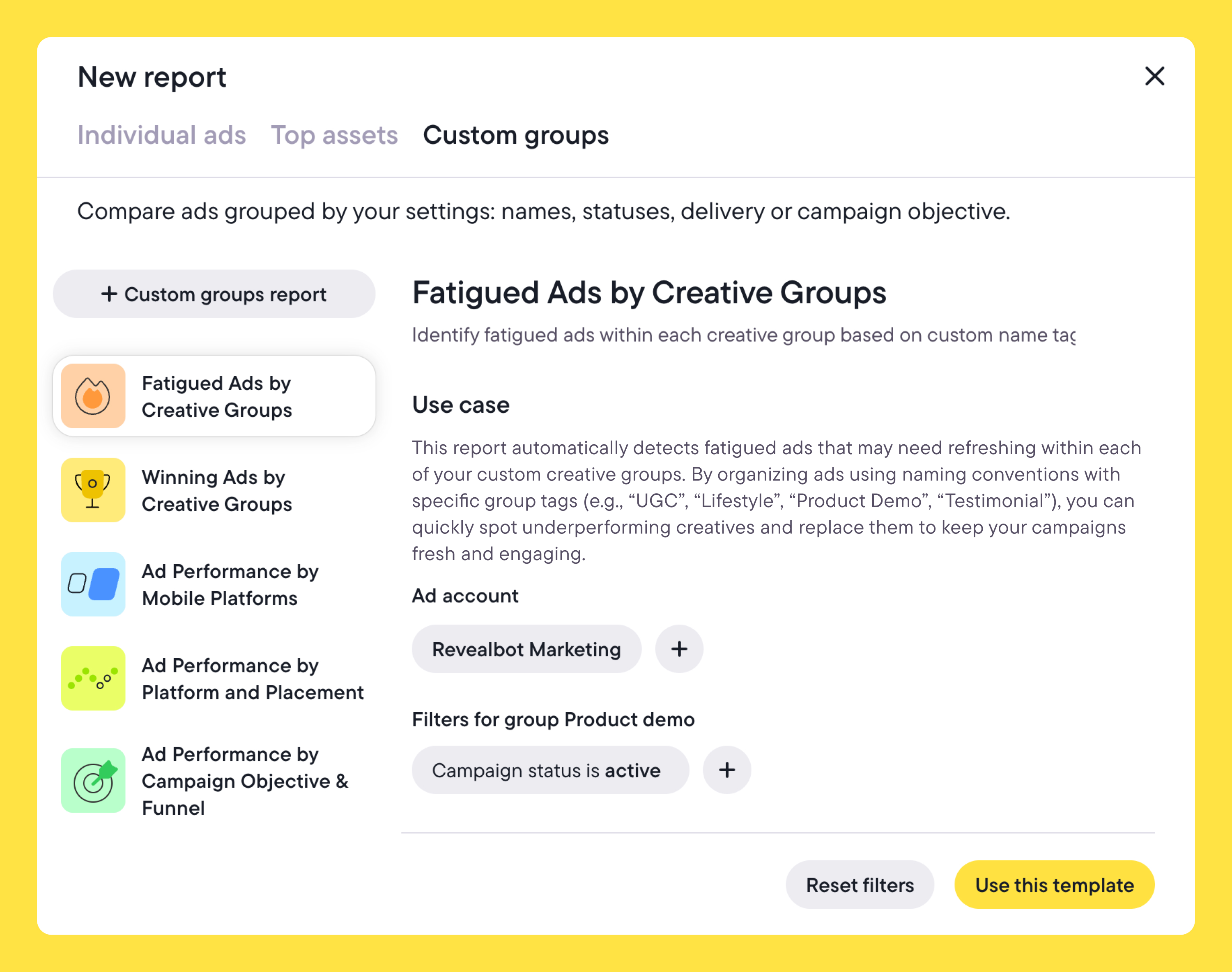
Creative fatigue is handled in the same way, comparing short-term signals against longer baselines and rotating out declining assets before they affect overall results.
The third workflow sits above both: account-level control. This is where safeguards live. Teams use rules to enforce total spend caps and detect anomalies in CPM, CPC, or spend.
Rules also react to sudden volatility—for example, when spend spikes within a short window without corresponding conversions. This can be caused by tracking issues, competition, or platform behavior.
FAQ: Which parts of the advertising process are already outsourced to AI tools, and which still require manual work or human decision-making?
Execution-heavy tasks are increasingly automated, while strategic decisions remain human.
This can include generating creative variations, writing ad copy, analyzing performance data, and handling in-platform optimization—though in most cases, these still require some level of human oversight.
Strategy, creative direction, and audience selection, the parts where data alone isn’t enough, remain human as they require context. Automation doesn’t decide what to run. It decides how it’s managed once it’s live.
That distinction matters even more when working with platform-native AI.
Tools like Meta Advantage+ or TikTok Smart campaigns operate as black boxes optimizing delivery. The drawback is that you don’t control the logic behind those decisions. In most setups, this sits alongside other AI-driven workflows, from creative generation and copywriting to performance analysis, which makes having a clear control layer even more important.
Birch AI takes a different approach. Rather than optimising delivery behind a black box, it works from your data and your setup: reading your ad account performance and your automation landscape to help you analyse what's happening and identify what your rule coverage might be missing. The suggestions it surfaces are yours to review and act on.
That’s what allows teams like AdQuantum to operate at scale—managing thousands of creatives while reducing time spent on campaign management and focusing more on strategy.
Using Birch with Google Ads UAC and App campaigns
FAQ: Does anyone use Birch to manage UAC/App campaigns on Google Ads, and are there any best practices for using Birch with these campaigns?
App campaigns tend to require higher volumes and offer less transparency, which makes teams more cautious about applying aggressive automation. Most setups focus on monitoring and lightweight control rather than active optimization.
That said, the teams we work with still use Birch in a few consistent ways.
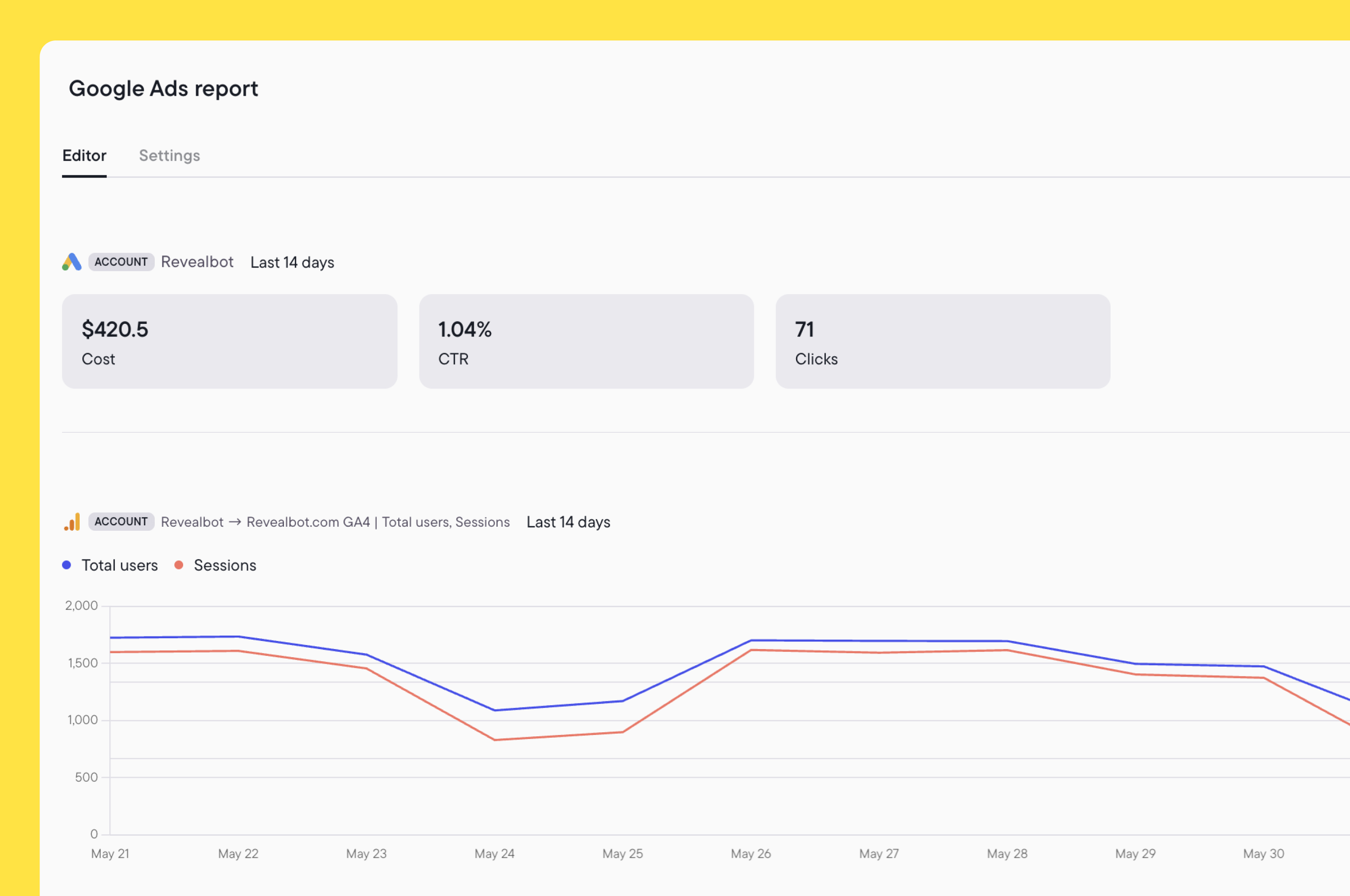
Through its Google Ads integration, Birch supports campaign-level actions such as pausing or starting campaigns, adjusting budgets, and applying tags for reporting. At the same time, most optimization decisions, such as targeting and bidding logic, remain within Google’s own automation.
Budgets can be adjusted using fixed values, percentages, or custom metrics, following the same rule structures used elsewhere—just with more conservative thresholds. Naming and tagging are also used to keep reporting structured across campaigns.
Much of the value lies at the account level.
Teams set overall spend caps, monitor for sudden changes in spend or cost metrics, and use rules to react to unusual behavior. Birch provides a layer of control around campaigns that otherwise run with limited visibility.
FAQ: When making changes to bids or budgets, is there a recommended frequency that accounts for the conversion window?
There isn’t a fixed cadence.
Most teams adjust based on how stable the data is and how much volume the campaign generates. For Demand Gen campaigns, the teams we work with usually apply moderate budget changes (around 25–30%) every 12–24 hours.
Higher-volume campaigns can move faster if performance is consistent. Display campaigns tend to be handled more conservatively, with smaller, fixed adjustments spaced further apart.
Bid changes follow a similar pattern. Stable campaigns usually update once per day, while higher-volume setups can support more frequent adjustments.
The principle is straightforward: the more reliable the signal, the more confidently teams can act. When data is less stable, slower adjustments mean teams are not reacting to short-term noise.
TikTok Smart Campaigns—automation after the updates
FAQ: After the recent updates to TikTok Smart Campaigns, are there new best practices for working at the ad level?

TikTok Smart+ campaigns have pushed more optimization into the platform itself, automating targeting, bidding, and creative delivery within a single campaign. This shifts control away from manual setup and toward system-driven optimization, which shifts where automation is useful.
Creative performance still varies widely, even inside automated campaigns. Teams use Birch to continuously evaluate ads and remove underperformers based on metrics such as installs, ROAS, CPC, or spend. For most accounts, these checks run once daily, with higher-frequency evaluation in higher-volume setups.
This removes a large part of the day-to-day monitoring that would otherwise be manual.
AdParlor found that native TikTok rules weren’t reliable enough—inconsistent timing, missed triggers, and limited safeguards made them difficult to use at scale. Moving that logic into Birch gave them predictable execution and reduced the need for constant monitoring, allowing the team to manage TikTok campaigns more efficiently at scale.
FAQ: Is anyone automating the process of adding new creatives/videos to existing campaigns (e.g., every 3–5 days as TikTok recommends)?
TikTok recommends introducing new creatives every few days, but maintaining that cadence manually becomes difficult as volume increases. The challenge is that fully automating creative refresh at the ad level within Smart+ campaigns isn’t yet possible.
Most teams handle it as a structured yet still partially manual workflow: creatives are produced and uploaded in batches, then introduced into campaigns on a rolling basis, while rules remove fatigued assets.
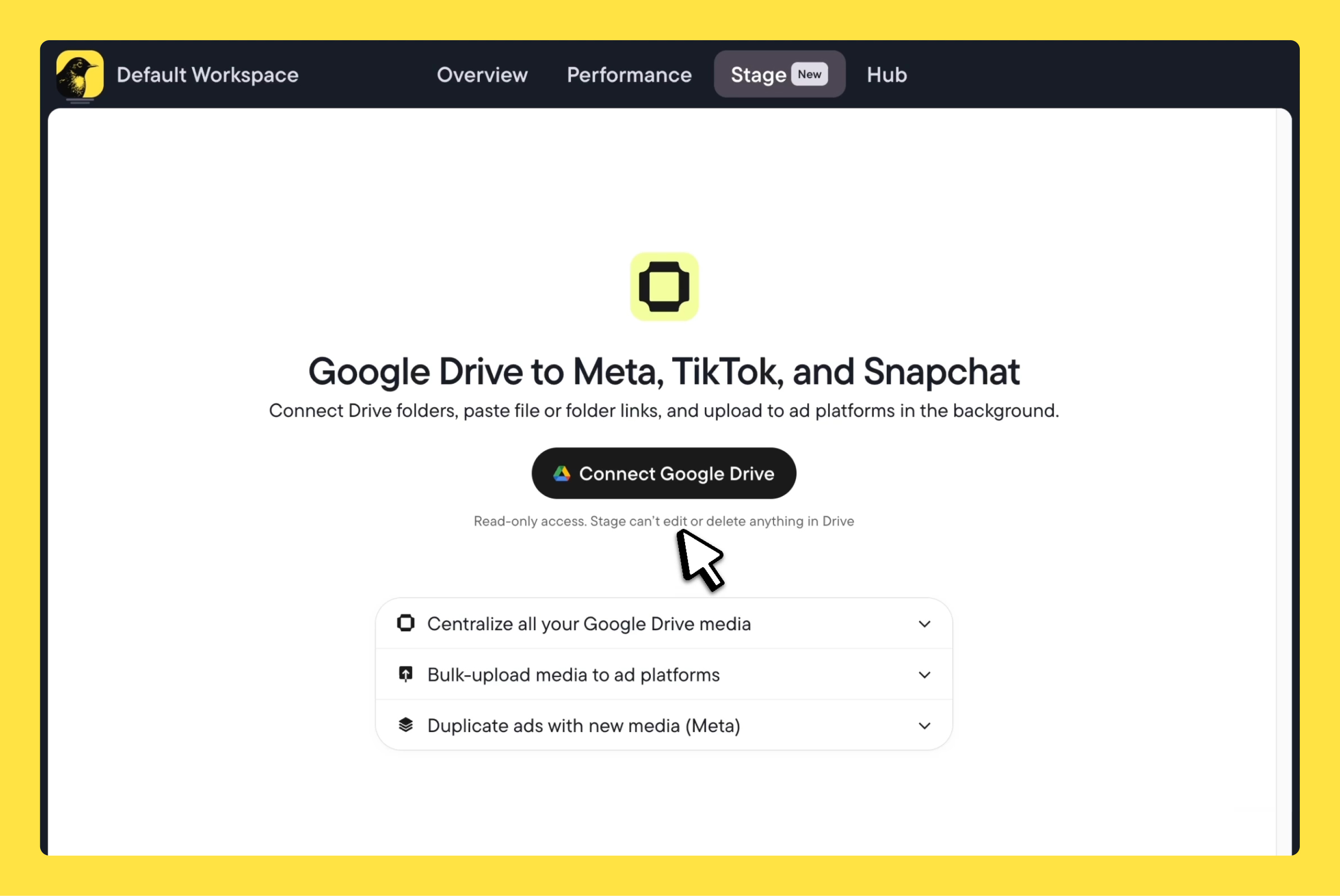
Birch supports part of this workflow. Stage allows teams to upload creatives in bulk directly into the TikTok media library, but direct creative-level automation—such as generating new ads by duplicating from a template and swapping in creatives—is still limited by TikTok’s API. Standard Smart+ campaigns only support campaign-level actions, and duplication of campaigns, ad groups, or ads isn’t yet available.
Scaling automation—beyond budget increases and duplication
FAQ: Since Birch primarily supports scaling through budget increases and campaign duplication, are there more advanced approaches to scaling automation?
Yes—and these two levers are more powerful than they might seem when structured correctly.
More advanced setups don’t rely on new scaling actions. They come from how budget increases and duplication are applied.
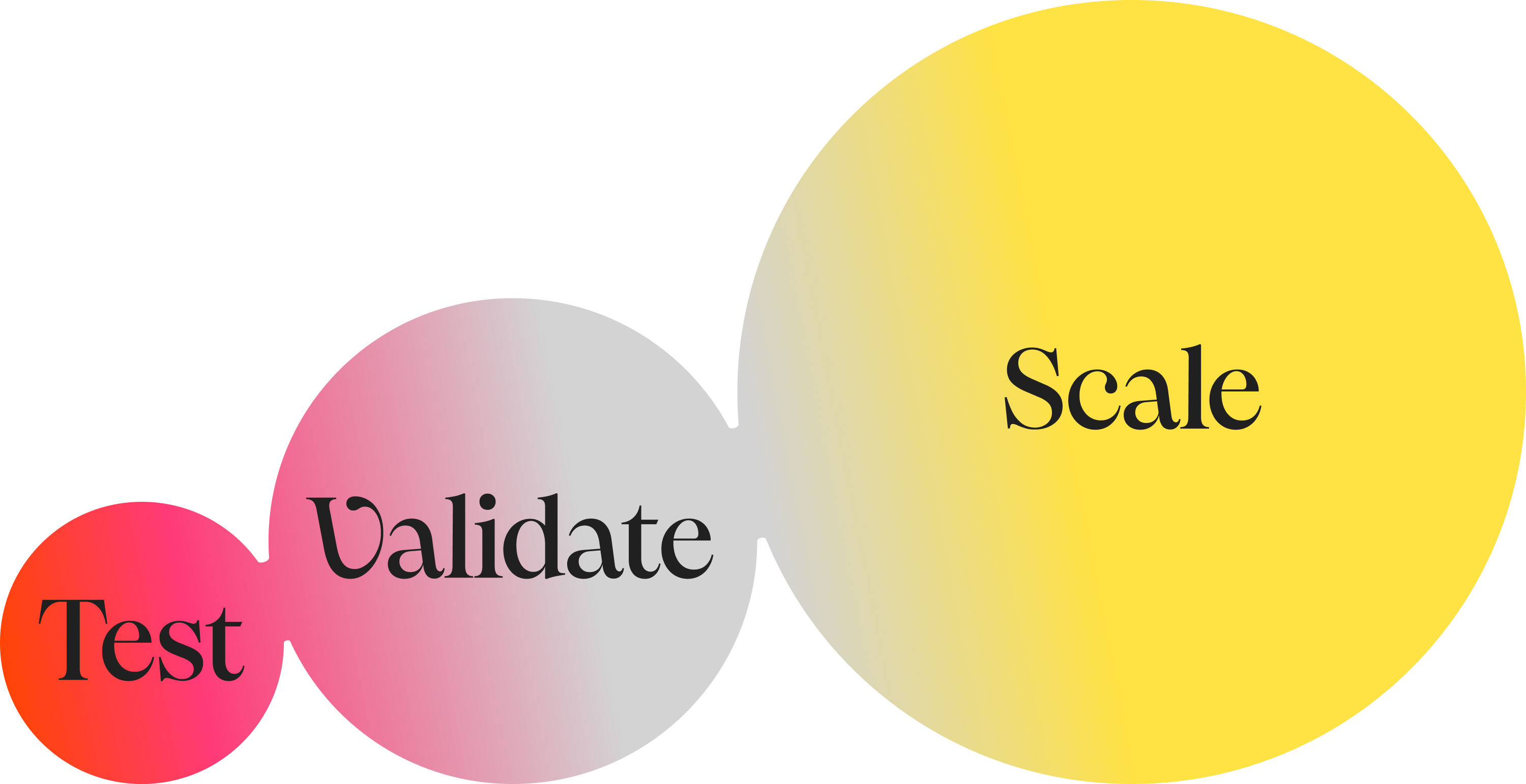
Scaling is not a single step but a sequence of steps. It starts with filtering. Only creatives or ad sets that meet early performance thresholds continue running. From there, campaigns move into a continuous adjustment loop—budgets increase when performance holds, decrease or pause when it drops, and can be reset daily to avoid overreacting to short-term spikes.
After a few days, decisions shift to broader signals. Instead of reacting to short-term movement, rules evaluate multi-day trends. This is where more advanced setups use multiple conditions and time windows to reduce the risk of reacting to noise.
This is also where the two main levers begin to work together.
A common pattern is to increase budgets gradually as performance stabilizes, then duplicate the campaign or ad set once it is proven to be consistent—effectively pushing more spend into what’s already working without destabilizing the original. This is often called the “double down” approach: scale vertically first, then expand horizontally once the signal is strong enough.
Within that structure, rule design matters more than the action itself. A budget increase tied to a single metric behaves very differently from one gated by multiple conditions. The same applies to duplication—triggered too early, it creates instability. Triggered at the right moment, it expands performance without disruption.
FAQ: Are there in-house or alternative solutions for scaling? What scaling strategies are most common?
Building and maintaining in-house automation often becomes a technical overhead, especially as platform APIs change frequently. When something breaks, spending continues while automation stops.
Instead, teams tend to separate roles: external tools for analysis, creative production, or signal discovery, and a dedicated system for execution that can run continuously without manual oversight.
That’s how Webtopia scaled from $1K to $30K per day—by structuring scaling decisions into rules that automatically adjusted budgets, paused underperformers, and reacted to spend spikes without manual intervention.
Loop Earplugs saw a similar effect. Instead of adjusting campaigns every few days, automation allowed them to scale winning ads and cut underperformers continuously, accelerating decision-making and learning speed.
Structuring automation rules at campaign vs. ad level
FAQ: How do teams structure automation rules at the campaign vs. ad level, and what typical business-as-usual rules do companies implement for each level?
Most teams structure automation by assigning a clear role to each level: creative filtering at the ad level, optimization at the ad set level, and control at the campaign level.
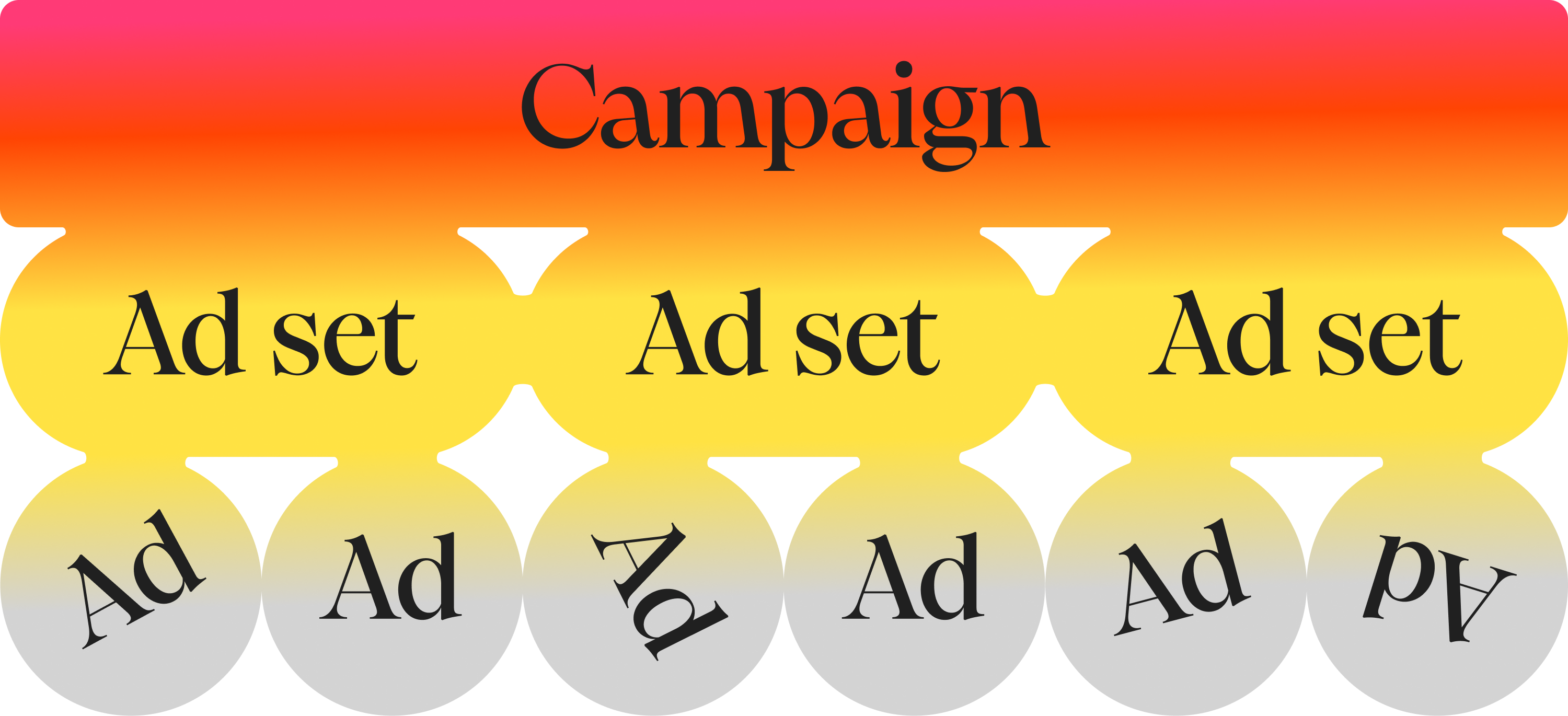
At the ad level, rules act as a filter. Creative quality is decided early, before weak assets can consume budget or distort performance. Ads that fail to generate engagement or spend without meaningful signals are paused quickly, while strong performers are identified and moved forward.
At the ad set level, automation becomes more active. Budgets shift, early performance decisions are made, and scaling begins. Teams often apply strict “survive or die” logic here, especially in the first phase of testing.
Duplication is also used to expand winning setups without disrupting what’s already working, while daily resets help neutralize overly reactive changes.
At the campaign level, the role changes again. Rules operate as safety nets—monitoring overall spend, detecting cost spikes, and keeping performance within expected ranges across the account. In practice, this might look like enforcing spend caps or flagging sudden changes in CPC or CPM compared to previous days, which may indicate platform issues or external volatility.
These patterns reflect the most common business-as-usual setups: filtering creatives early, adjusting budgets based on performance, and applying account-level protections to avoid overspend or volatility.
What emerges is a layered system where each level has a clear function. It’s responsive without becoming unstable.
This is the kind of setup used by teams managing large, complex accounts. ECOM HOUSE, for example, applies structured rule systems across hundreds of ad sets and campaigns to reduce CPA. ECOM DEPT uses similar rule combinations to eliminate wasted spend by systematically scaling what works and shutting off what doesn’t.
Custom performance metrics—beyond the standard KPIs
FAQ: Do teams use custom metrics beyond CAC, LTV, spend, and purchases (e.g., CPM, CR, blended metrics, or other advanced KPIs)?
Yes, especially as teams scale and need metrics that reflect actual business performance.
Most teams start with standard metrics like CPA, ROAS, or spend. Over time, those tend to become limiting. They don’t always reflect actual business performance, especially when revenue is delayed, attribution is fragmented, or multiple channels are involved.
Birch allows teams to define their own metrics using formulas—combining platform data with fixed values or external inputs, such as data from Google Sheets or attribution tools. These custom inputs are usually based on real cash values, the company's actual business data used for internal calculations. These metrics can then be used directly inside automation rules, not just for reporting.
This changes how decisions are made.
Instead of optimizing toward platform-reported performance, teams can align automation with business-level signals—whether that’s blended ROAS, cost per engagement, or more specific indicators tied to their funnel.
For TikTok in particular, this often includes engagement-based metrics like hook rate or hold rate, which help evaluate creative performance earlier in the cycle. These can be built into rules that pause or scale ads before conversion data fully matures.
FAQ: Are there examples of more sophisticated metric frameworks used for optimization?
Yes, most advanced setups move beyond single metrics and into structured testing frameworks.
Teams segment campaigns using tags or naming conventions, apply different rule sets to each segment, and use custom metrics to compare outcomes across them. That turns automation into a controlled testing system rather than just an execution layer.
Scentbird gives us a good example of this approach in practice. By structuring campaigns around custom metrics and automated tagging, they significantly increased the volume of creative testing while keeping the process measurable and controlled.
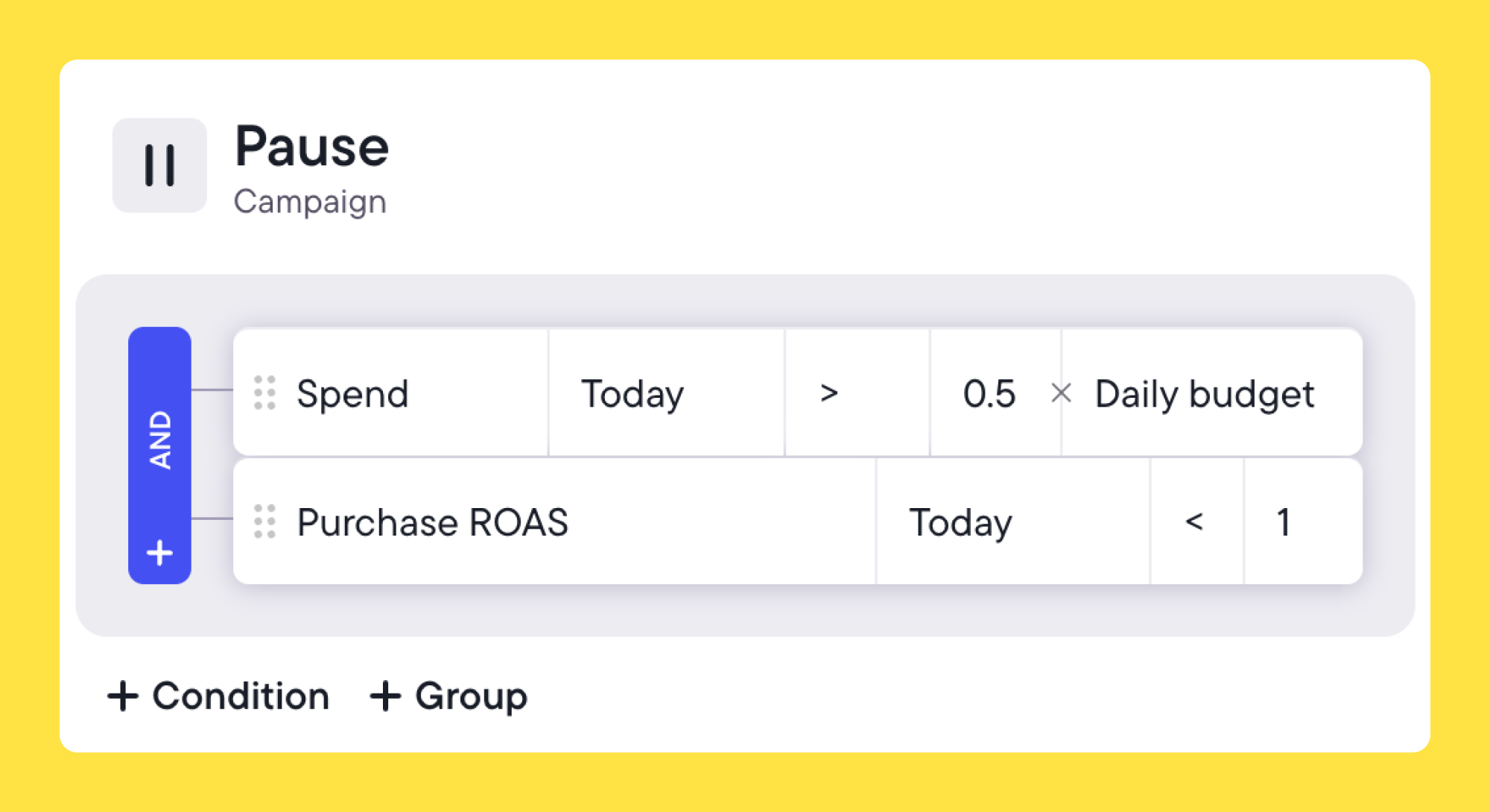
Budget pacing is another common example, which means comparing the current day's spend against the daily budget. If spending is strong and maintaining the CPA or ROAS target, teams can scale aggressively. Adding a spend-pacing check to scaling rules allows you to exclude budget increases if the daily budget is not being actively spent at a good rate. Alternatively, it can be added to aggressive scaling rules with a high budget boost %, applying only when CPA is high AND the spending pace is high.
Another example is tiered conversion milestones, which create multiple performance checkpoints across the day. Ads need to "earn" more spend by hitting specific targets at different cost tiers. If an ad reaches a spend limit with too few conversions, it gets paused earlier rather than waiting for end-of-day data.
What these questions actually reflect
The client who showed up with that list of questions was looking to refine how their automation works in practice. That’s where most teams are now. They want to make automation more precise, more reliable, and more aligned with how their business actually works.
And in most cases, the answers aren't about adding more tools or complexity. They're about structuring what's already there: defining clearer rules, better signals, and more consistent workflows. Birch AI can help with part of that too, reading your rule setup and account data to surface gaps and patterns you may not have spotted. The answers, and the decisions, are yours to make.
If you’ve been thinking about similar questions, you’re probably closer than you think. And if there are others you’d like us to cover, send them through. We’ll use them to put together another FAQ blog post like this one.



.jpg)