Tired of checking Ads Manager to see what's wrong? Birch spots issues and acts on them automatically.
You’ve launched your campaign and expected it to run, but instead, you’re staring at labels like “Learning” or “Under Review” and wondering what went wrong.
In this guide, we’ll break down every Meta ads status, explain what each one means, and give you tips to keep your campaigns running smoothly.
What is Meta ad status?
Meta ad status refers to the condition of your ads, campaigns, or ad sets inside the Meta Ads platform. Each one can show a different status, and they help you quickly identify if something needs at
tention. The most common Meta ads statuses are:
- Learning: The system is testing how to best deliver your ads. Results may be unstable.
- Learning limited: Not enough data for Meta to optimize delivery. Audience or budget may be too limited.
- In review: Meta is reviewing your ad to ensure it complies with their policies.
- Rejected: The ad violates Meta’s advertising policies. It will not run until edited and reapproved.
- Scheduled: The ad is approved but will only run at a future date you selected.
- Processing: Meta is applying changes to your ad. Usually resolves in a few minutes.
- No ads: The campaign or ad set does not contain any published ads.
- Ads off or Ad set off: The ad/ad set has been manually or automatically turned off or ended.
- Completed: The campaign, ad set, or ad has ended due to the scheduled end date.
Learning phase
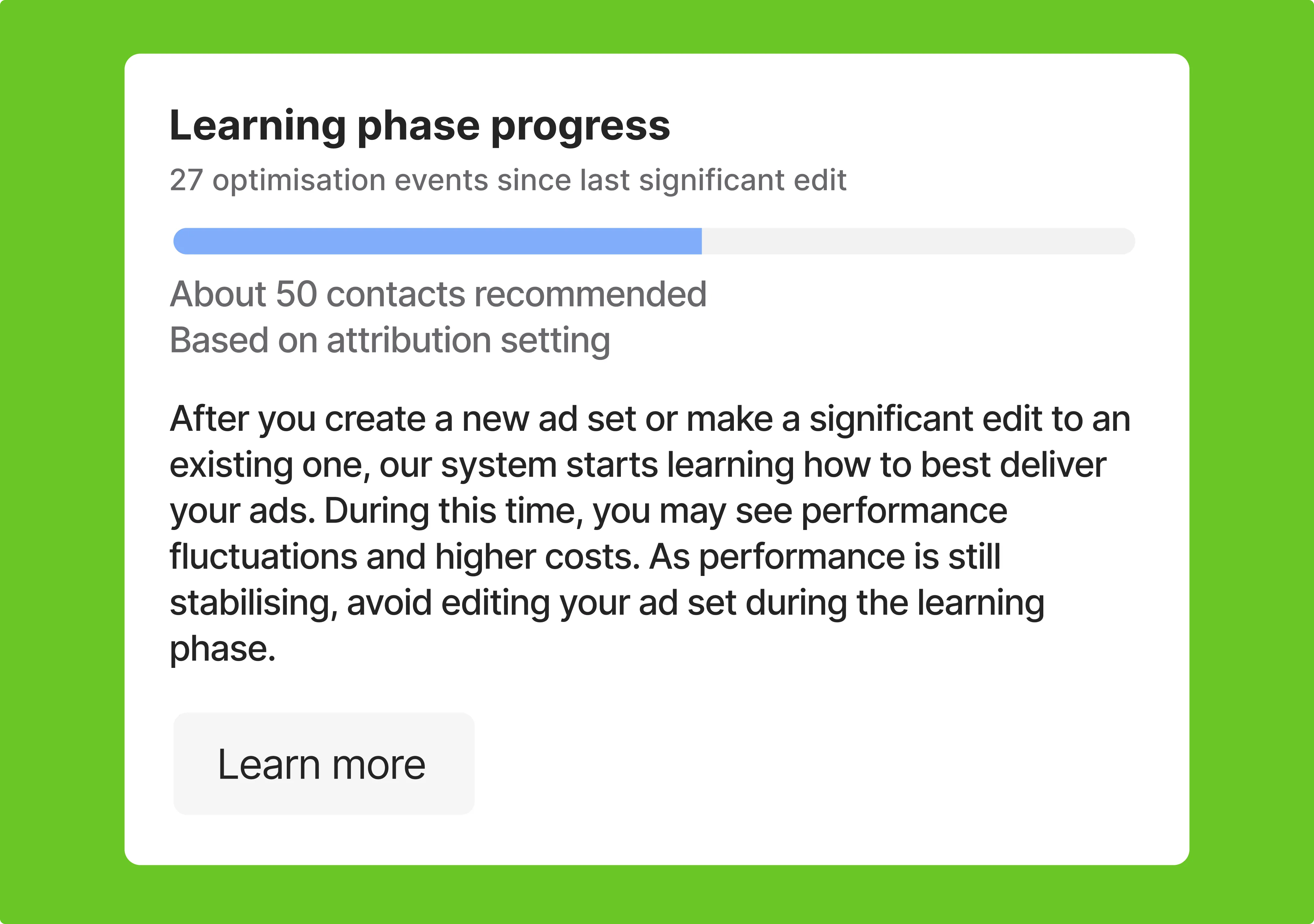
When you launch a new campaign or make big changes to an ad, ad set, or campaign, it enters the learning phase. This is when the system tests different placements, audiences, and strategies to figure out how to deliver your ads. During this time, results can be unpredictable and CPA may be higher.
The learning phase usually ends after about 50 optimization events in seven days, depending on your campaign goal. Significant edits like changing targeting, creatives, or budget can restart the process.
To move through learning faster, avoid unnecessary changes, keep your budget realistic, and limit the number of ad sets.
Learning limited ad status
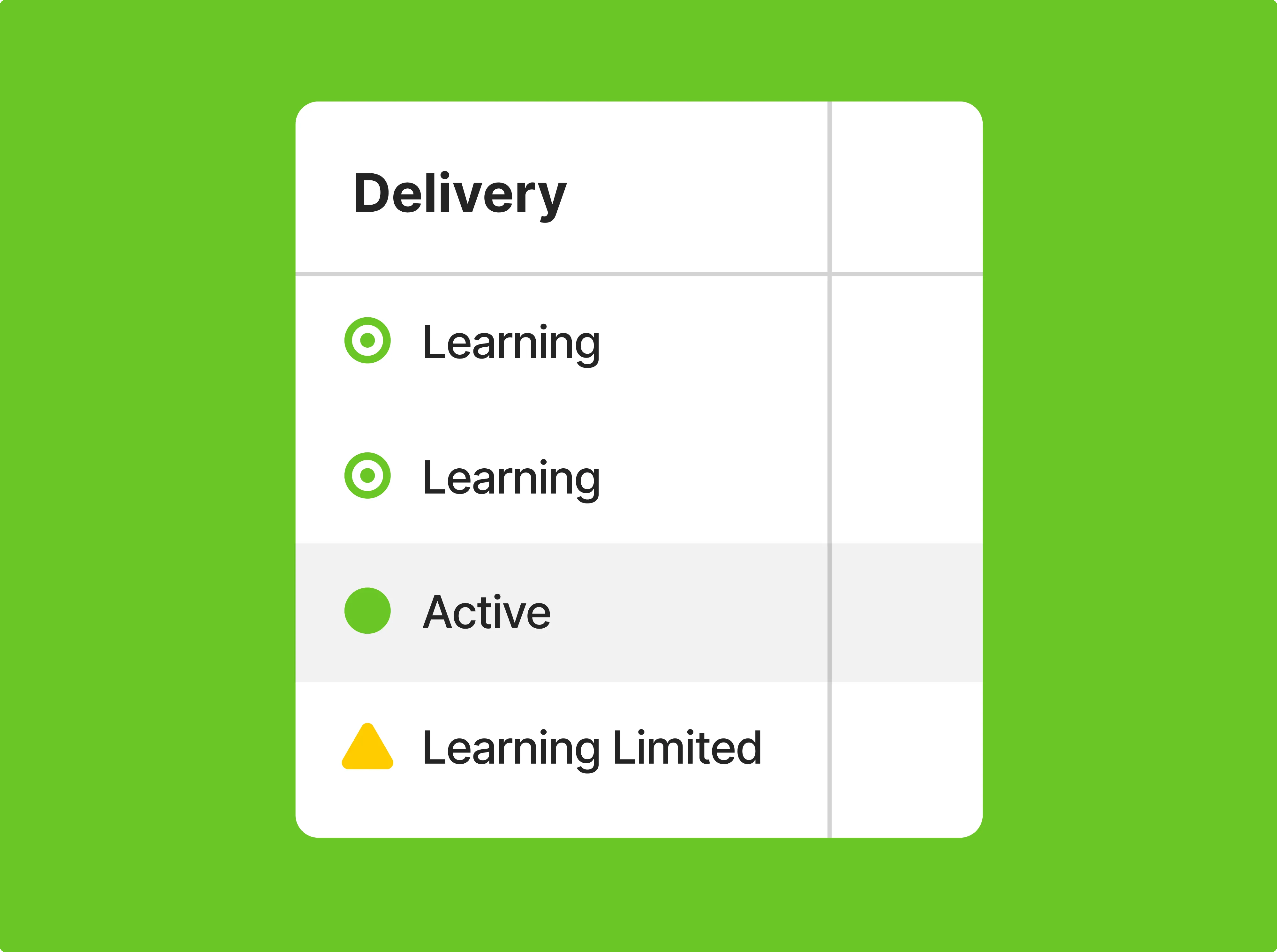
If your ad set is marked as learning limited, it means Meta isn’t getting enough data to fully optimize delivery. This usually happens when your audience is too narrow, your budget is too low, or your setup isn’t generating enough activity.
To move out of learning limited, try combining ad sets to avoid splitting performance. Widen your audience to increase engagement and consider raising your budget if it’s restricting results. Avoid frequent or major edits that restart learning.
💡If you need to test something new, it’s often better to create a fresh ad set instead of changing an active one.
In review ad status
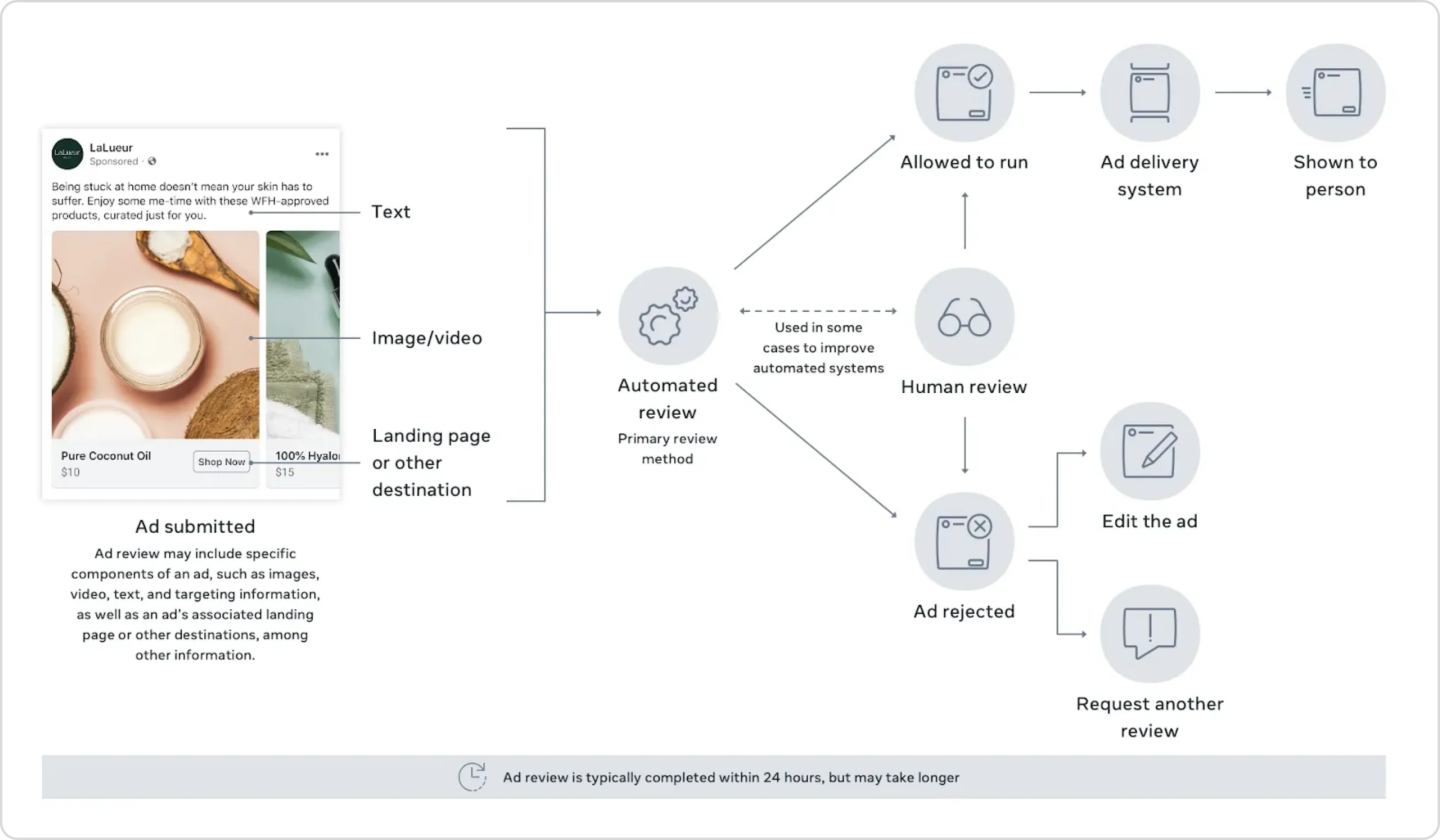
Every ad you run on Facebook has to go through a review process. This usually only takes a few minutes, though it can take longer. The review checks whether your ad follows Meta’s advertising policies.
Delays in the review process happen for several reasons:
- The ad includes content that violates policies, like misleading claims or sensitive topics.
- The image and text don’t align well.
- The landing page doesn’t match what the ad promises.
- You edited the ad while it was still under review.
- Your account has a history of low-quality or rejected ads, so reviews take longer.
To avoid delays, keep your ads simple, clear, and aligned. Make sure your text and visuals match your message, and avoid sensitive topics that could trigger extra review.
For a more data-driven approach, use Birch’s Top Creatives report. It shows you which images and videos have performed best across your Meta ad accounts. With it, you can spot your top assets, track trends over time, and create more effective campaigns without guesswork.
Rejected ad status
Ad rejection can be frustrating, but it happens to a lot of advertisers. Most of the time, it comes down to Meta’s ad policies and community standards, which are meant to keep the platform safe and trustworthy.
Here are five common reasons your ad might get rejected:
- Policy violations: Your ad must follow both Meta’s ad rules and general community guidelines.
- Unacceptable content: Meta prohibits various types of content, including illegal products, misinformation, vaccine discouragement, discriminatory practices, inflammatory content, and more.
- Deceptive content: Meta values genuine and honest content. Advertisements must not mislead viewers, especially in areas like health, weight loss, or financial opportunities.
- Dangerous Content: Promotion of unsafe substances, weapons, and tobacco products is forbidden.
- Objectionable Content: Ads containing adult content, profanity, misleading information, or offensive material will face rejection.
If your ad gets rejected, review the notification for the exact reason. You can edit the ad to fix the issue, or if you believe it was a mistake, you can request a review directly in Ads Manager.
Read more: What to do if your Facebook ad account gets restricted.
Scheduled ad status
When an ad shows as “Scheduled”, it means it’s approved but set to run at a specific date and time you chose during setup. Meta will review it before the scheduled start date, and it remains inactive until then. If the ad was set to start later, the delivery column will show “Scheduled.”
If you want it to run sooner or later, simply update the start and end dates in Ads Manager. Keep in mind that ad delivery can still slightly drift, so an ad scheduled for the morning might appear a few minutes before or after. This status isn’t a problem, just review your settings if timing seems off.
Scheduled ads won’t run until the review is complete and the start time arrives. Check the “Scheduled” status in your delivery column and confirm the dates. If nothing happens when it should, double-check that the campaign or ad set hasn’t been turned off and that billing is up to date.
Processing ad status
When your ad shows “Processing,” it means Meta is applying your changes, like a new creative or updated setting. This usually takes just a few minutes, but can take up to a few hours
If the ad stays in Processing for longer than expected, here’s what you can try:
- Refresh Ads Manager or log out and back in
- Turn the ad off and on again—this often kickstarts the process
- Duplicating the ad usually prompts a fresh review and can resolve bugs
If none of this helps, double-check your ad setup for issues like invalid file formats or missing details. You can also reach out to Meta support to learn if there’s an internal delay.
No ads
The campaign or ad set does not have any published ads.
Ads off or Ad set off
If the Delivery column says “Off”, it means the ad has been turned off and is not delivering. This can happen if you manually turned it off, if an automated rule you set up turned it off, or if the ad reached its scheduled end date.
To turn the ad back on, go to Ads Manager and switch it to active. Just make sure that your campaign and ad set are also turned on and that there are no other issues like budget limits or disapproved content.
Completed ad status
The campaign, ad set, or ad is no longer running because the scheduled end date has passed.
Meta ad status icons and what they mean
On the Meta Ads platform, you can hover over each status icon to see what it means. Here's a quick guide to help you make sense of them all.

Error: The campaign, ad set, or ad can’t run because there’s a problem that needs to be fixed.

Warning: This means your campaign, ad set, or ad isn’t reaching as many people as it could. Fixing the issue could improve performance.

Pending: The campaign, ad set, or ad isn't live yet. It's usually under review or scheduled to start later.

Active: The campaign, ad set, or ad is active and working normally.

Inactive: Your campaign, ad set, or ad isn’t running. It’s usually because it finished or something connected to it was turned off.
Optimizing underperforming ads with Birch
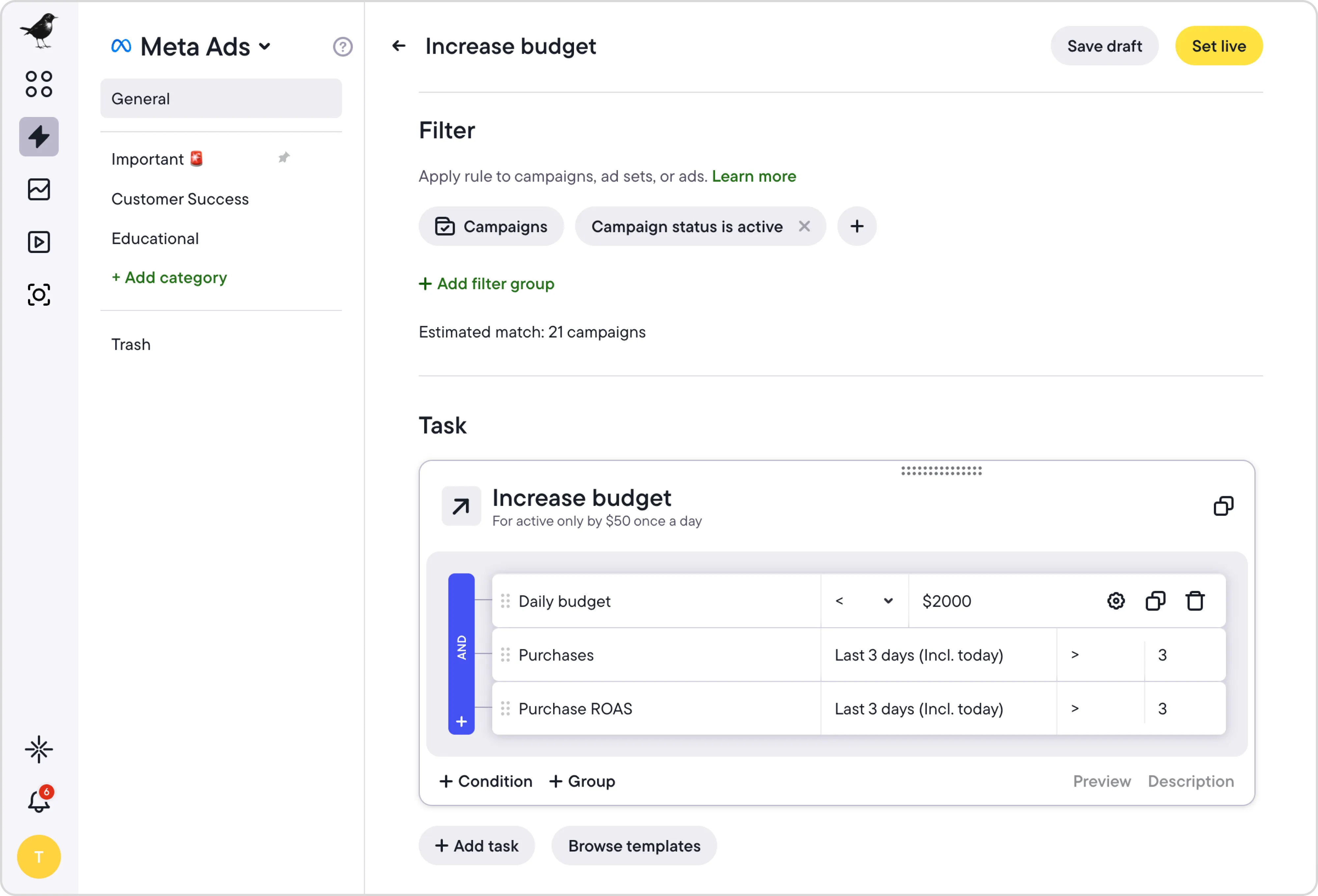
If your ads aren’t bringing in conversions, Birch (formerly Revealbot) can help you figure out what’s not working and fix it fast. Whether it’s a creative that fell flat or a targeting issue, these tools are designed to help you act quickly and spend smarter.
- Post Boosting: Birch automatically turns your best organic posts into ads. Just set rules based on engagement, impressions, or even keywords. When a post meets the conditions, Birch boosts it for you, so your strongest content gets the reach it deserves.
- Stage: No more rebuilding campaigns by hand. With Stage, you keep all your campaign components—copy, URLs, and creative links—in a Google Sheets spreadsheet, and Stage pulls that data in, maps your creatives from Google Drive, and builds and launches the ads directly inside Birch across Meta, TikTok, and Snapchat. No copy-pasting between tabs, no manual setup in the ads manager.
- Smart Rules: Set automated rules to pause underperforming ads or restart strong ones. For example, stop an ad that spent a certain amount without conversions, or give another chance to ads that bring in results late. Birch watches performance for you and acts fast when conditions are met.
Pro tip: Once those rules are running, Birch AI analyses them alongside your ad account data to surface the contradictions, the blind spots, and the setups worth doubling down on. You review the suggestions and decide what to implement.
Get the most out of every click
Meta Ads come with a lot of advantages, from precise targeting and performance tracking to flexible budgets and broad reach. But to make the most of them, you need to understand how the platform works, especially when it comes to ad statuses and what they mean.
Now that you’ve got a clearer picture of how to avoid common pitfalls, you’re better equipped to keep your campaigns running smoothly. And if you're looking for a faster and smarter way to manage it all, Birch helps you automate your workflow, spot issues early, and make sure your budget is going toward ads that actually work.